Every image as WebP. Automatically.
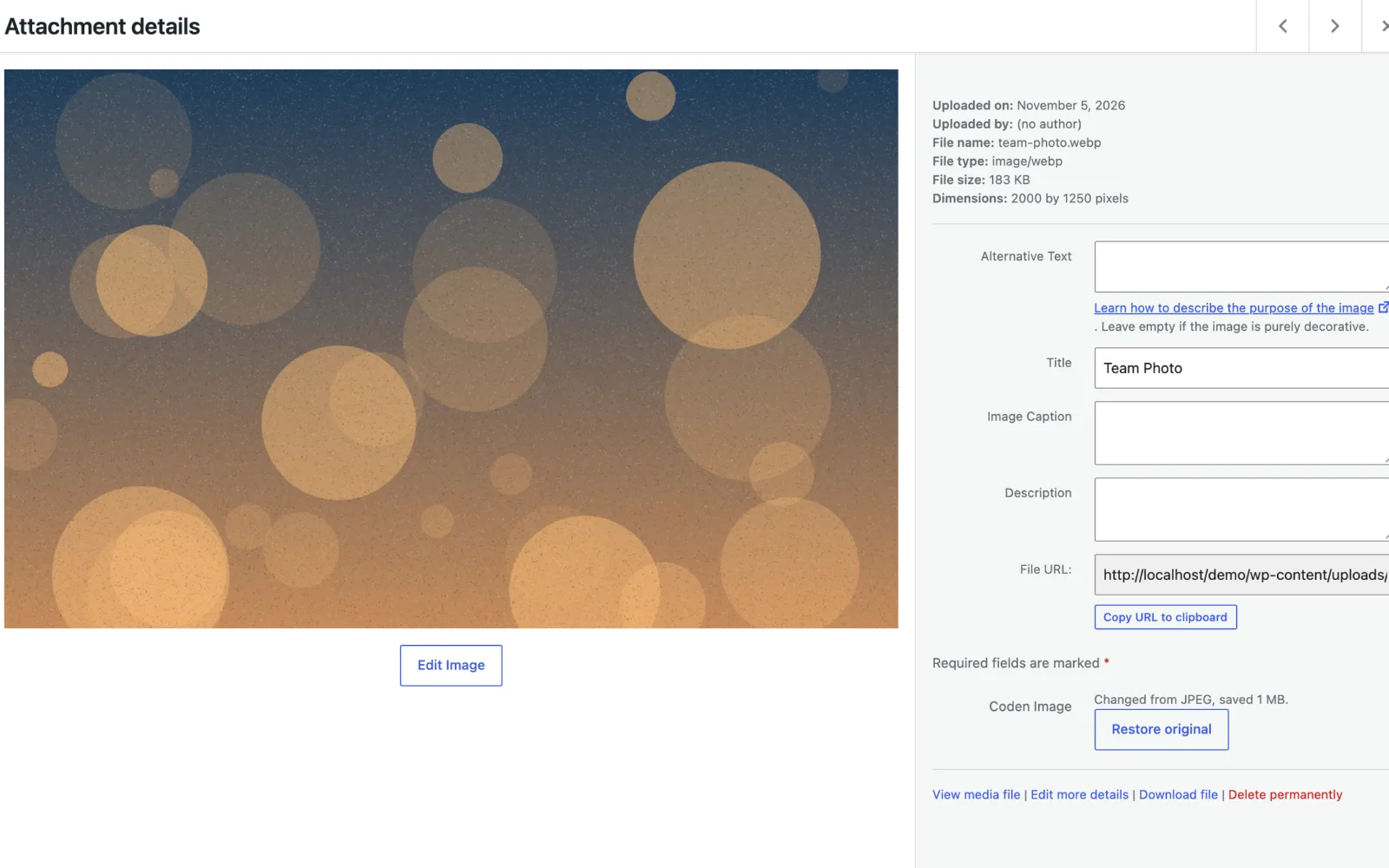
Coden Image converts uploads to WebP, shrinks oversized photos, lazy loads what is below the fold and preloads the image visitors see first. It can convert your existing library too, with a restore button if you change your mind.
Lighter images, nothing to remember.
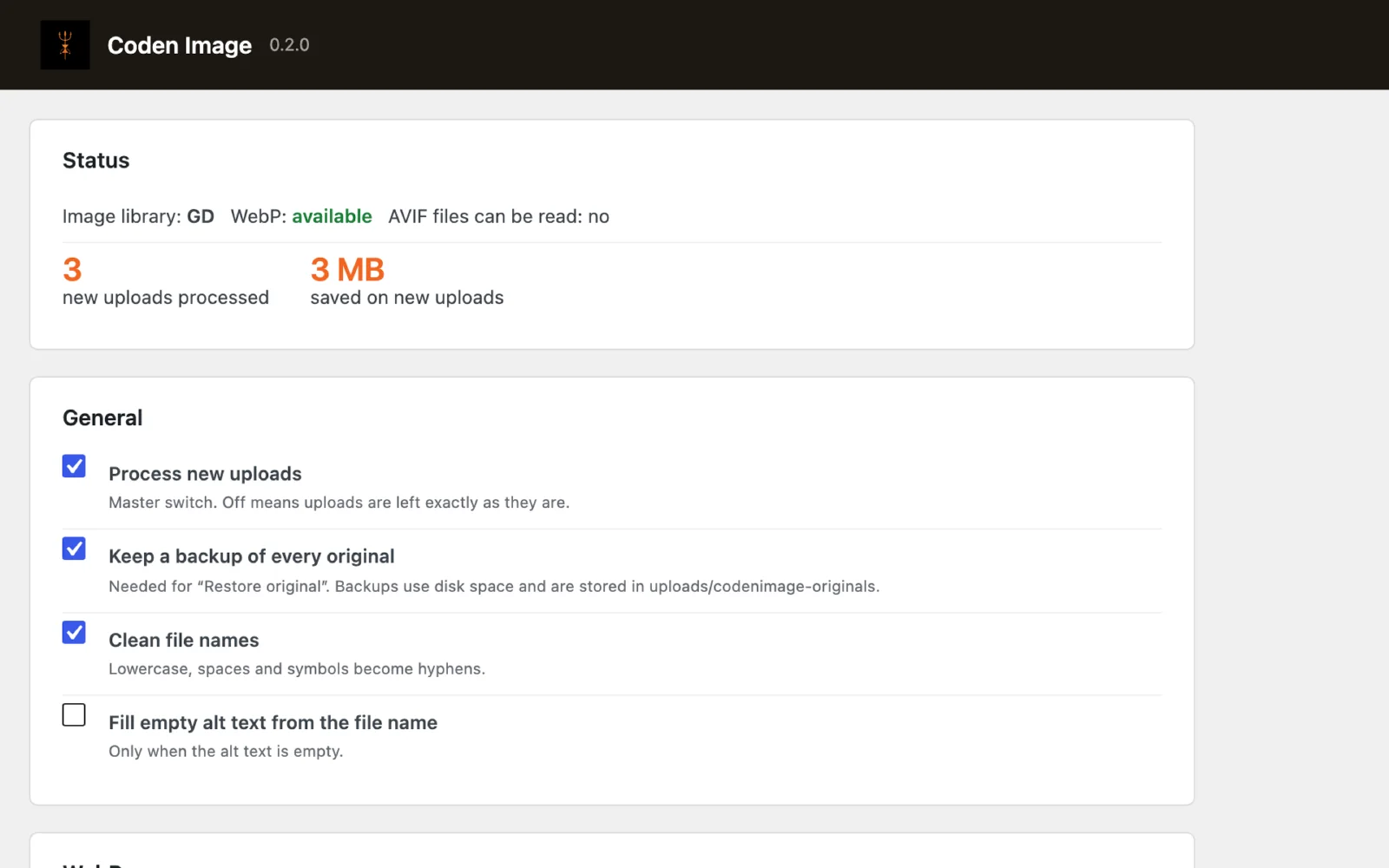
WebP on every upload
JPEG, PNG, BMP and still GIF become WebP as they are uploaded, thumbnails included. AVIF, HEIC and TIFF too, where your server can read them.
Convert the whole library
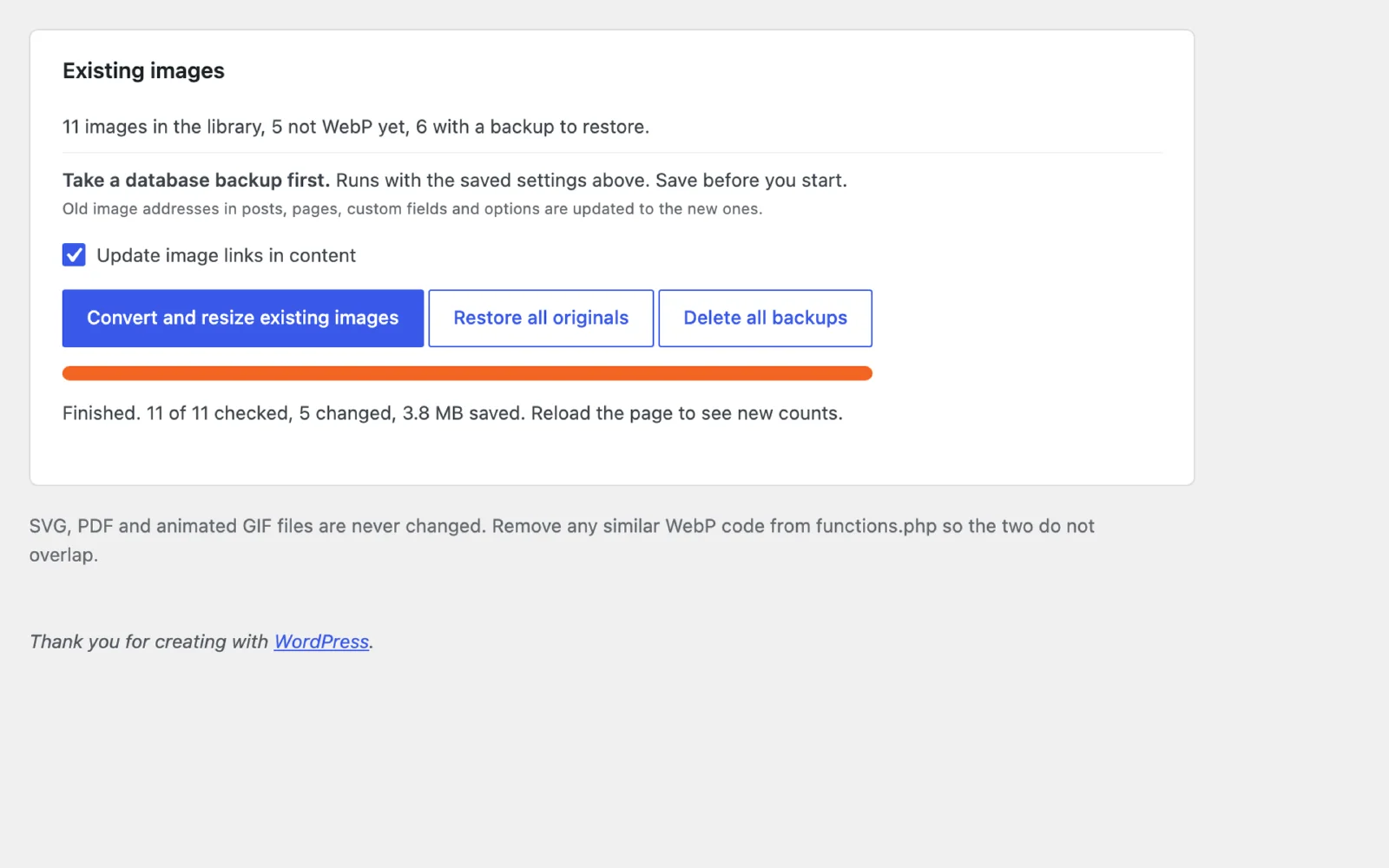
Run it over your existing images in small batches with a progress bar. Links in posts, custom fields and options are updated to the new addresses.
Restore the originals
Every original is backed up in a protected folder. Restore one image from its media item, or all of them at once. Links switch back too.
Shrink large images
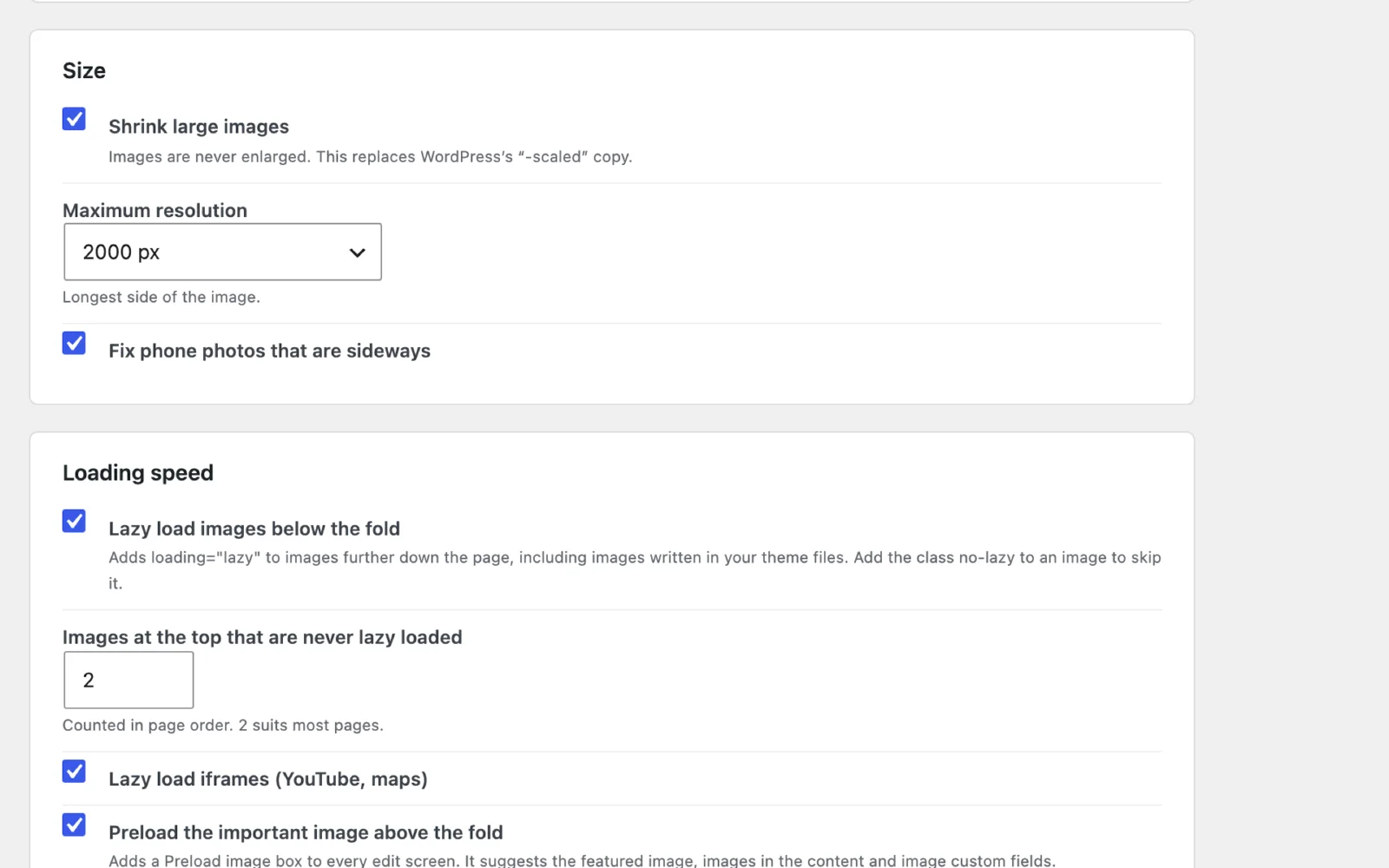
Pick a maximum resolution, from 1280 to 3840 px or your own size. Smaller images are never enlarged. Switch it off if you only want the format change.
Fix sideways photos
Phone photos that arrive rotated are turned the right way up using their camera orientation.
Lazy load below the fold
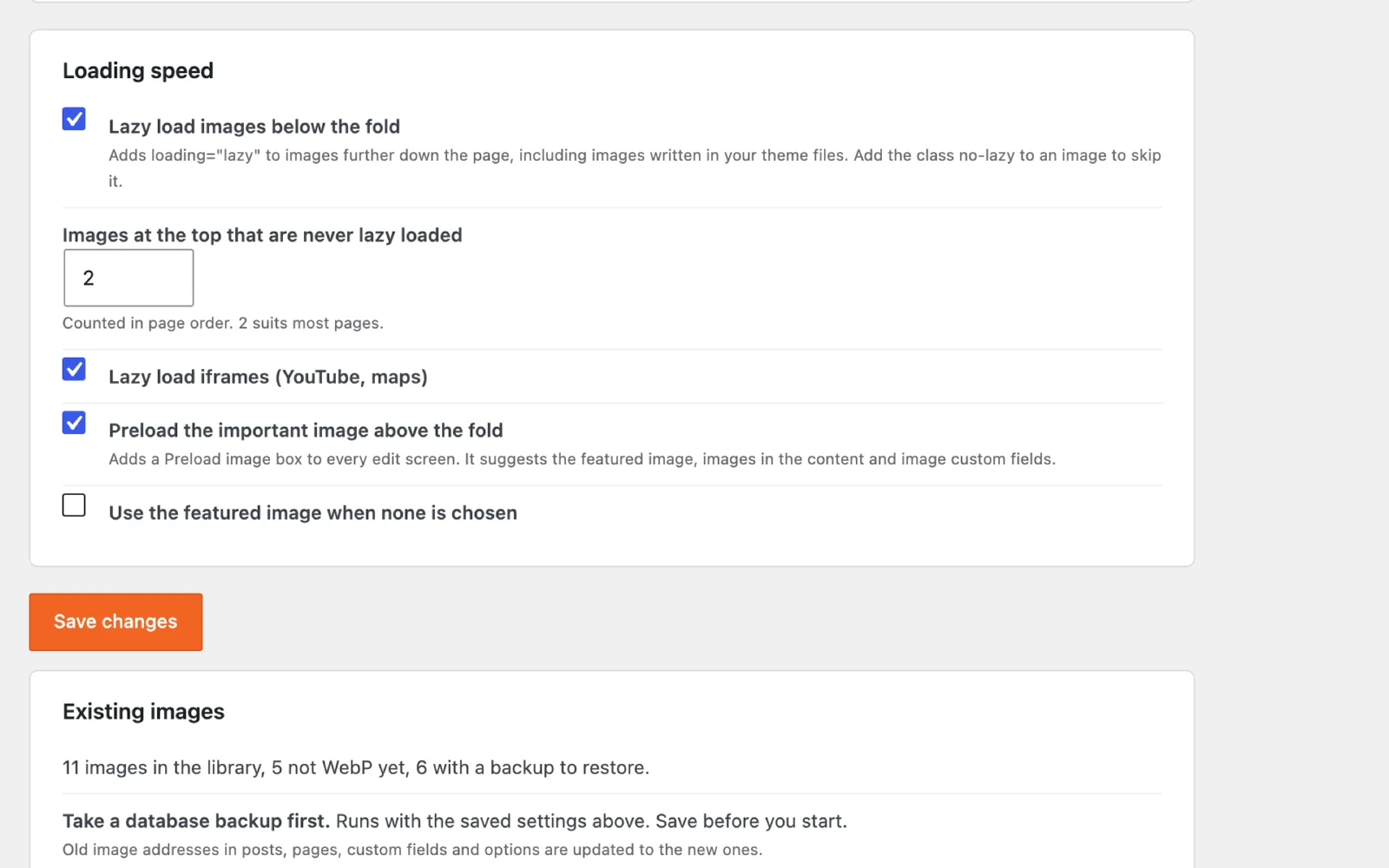
Images further down the page load when needed, including images written in your theme files, and iframes such as videos and maps. The first few images are never delayed.
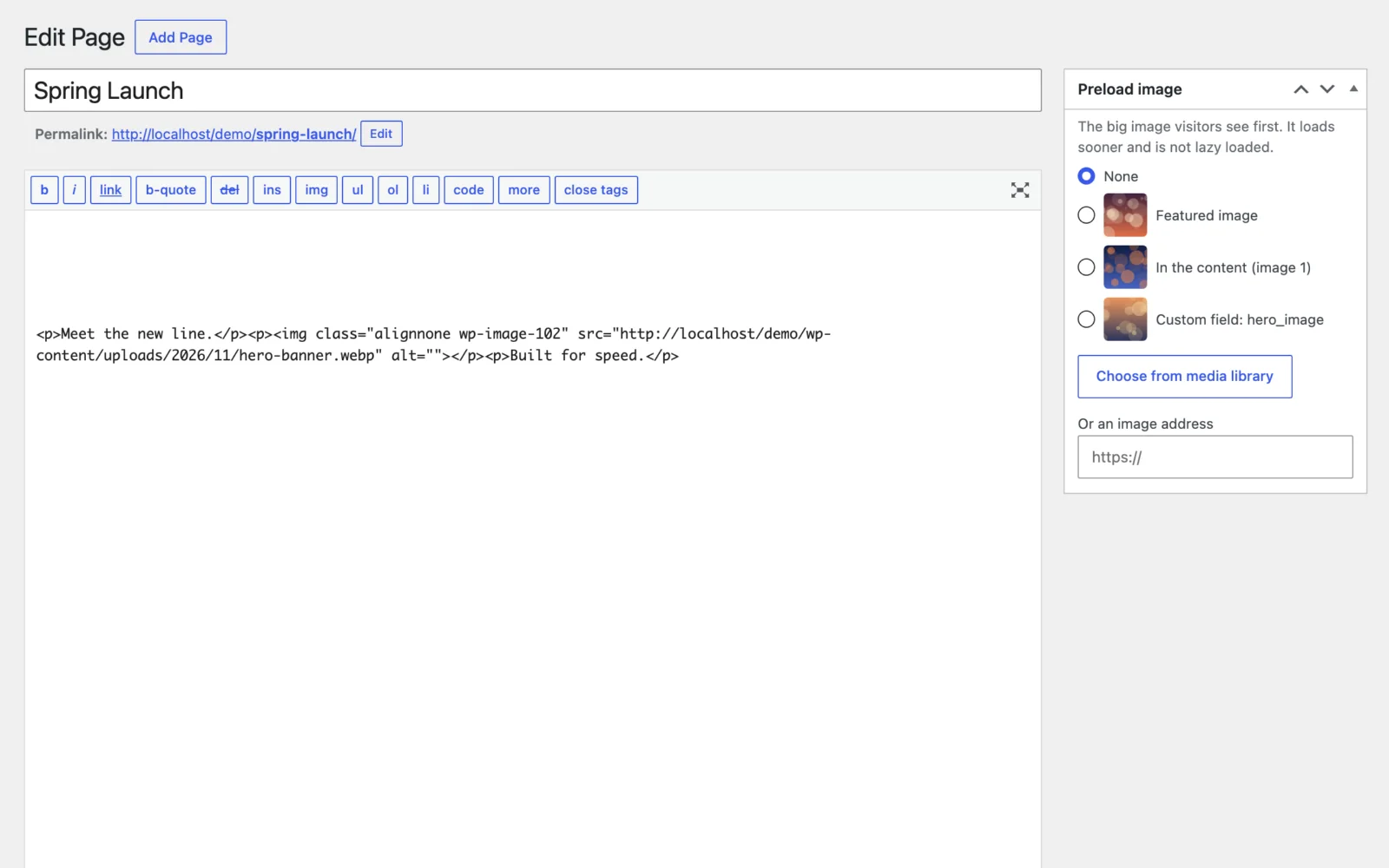
Preload the hero image
On every edit screen, choose the image visitors see first. It is preloaded in the page head and skipped by lazy loading. Suggestions come from the page.
Tidy names and alt text
File names become lowercase with hyphens. Empty alt text can be filled from the file name, with a reminder to review the important ones.
No extra PHP extension
It uses the image editor WordPress already has. A Status box shows which library your server uses and whether WebP is available.
Simple settings, clear results.

Want Coden Image on your WordPress?
Tell us about your website and we will get back to you.
- Click Get a quote and tell us about your WordPress website.
- Mention that you are interested in Coden Image and whether you also want your existing images converted.
- We review your request and reply with the next steps.
Converting an existing library changes files and the links to them, so we always take a backup first.
Good to know.
Do I need Imagick or any extra PHP extension?
No. Coden Image uses WordPress's own image editor, which is GD or Imagick, whichever your server has. If the server cannot write WebP, resizing still works and the Status box tells you.
Will converting my existing images break my pages?
Links in posts, pages, custom fields and options are updated to the new WebP addresses. Links written directly in theme files, CSS or JavaScript are not, so check those. Take a database backup before you convert, and clear any page cache afterwards.
Can I undo a conversion?
Yes. Originals are kept in a protected folder. You can restore one image from its media item, or all of them from the settings page, and the links are switched back. Deleting the backups frees disk space but ends restoring.
Which files does it leave alone?
SVG, PDF and animated GIF files are never changed. Every other supported image is converted to WebP.
Does it work with my theme?
Yes. Conversion happens in the WordPress media library, and lazy loading and preload use WordPress's standard page output, so it works with any theme.
What does the preload box do?
On every edit screen it suggests the image visitors see first: the featured image, images in the content and image custom fields. The one you pick is preloaded in the page head and is never lazy loaded.