Internal links, added while you write.
Search a word or phrase, see every place it appears with the words around it, and link it to another page. Coden Interlink also suggests links for the page you are editing.
Linking pages together, made simple.
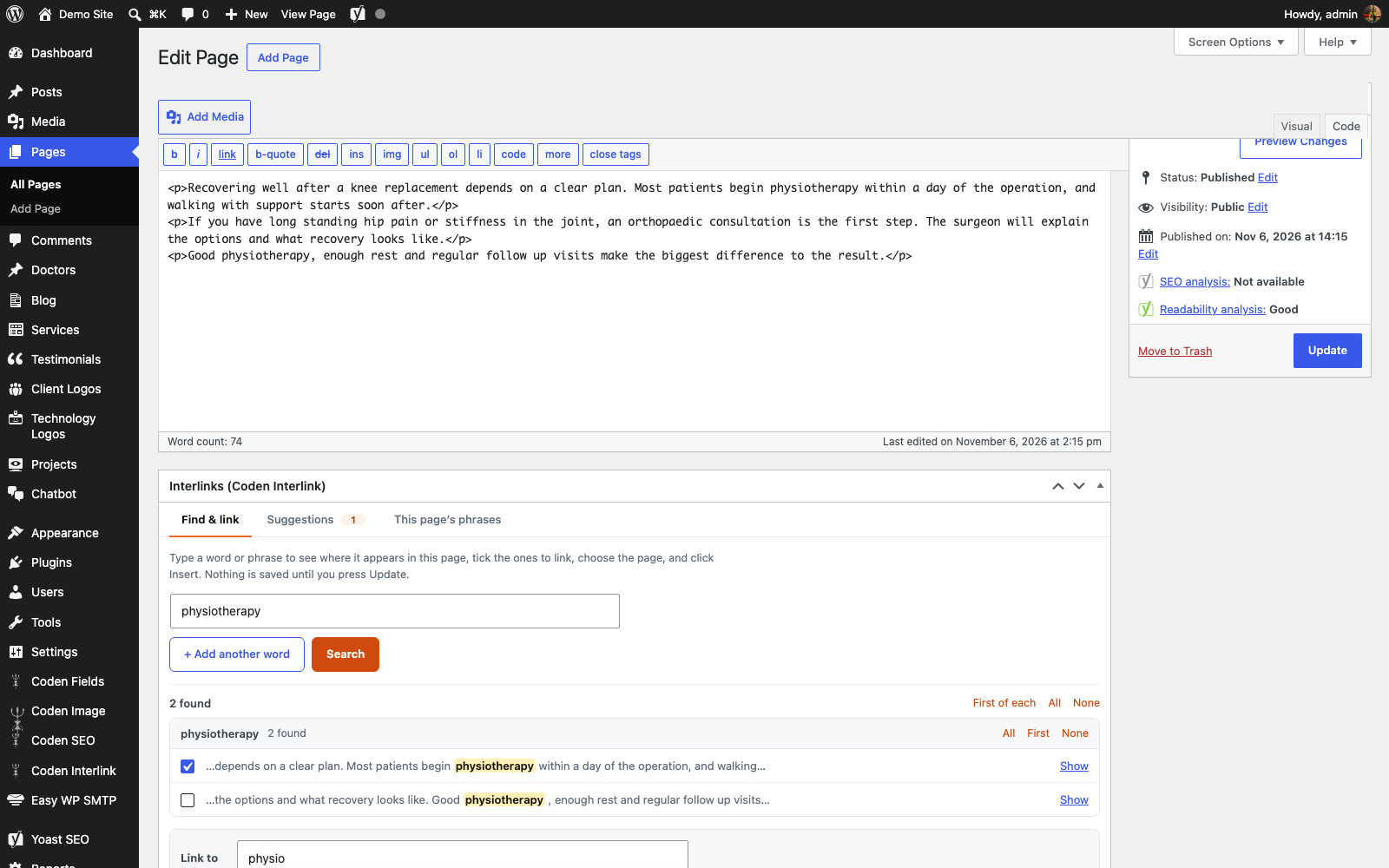
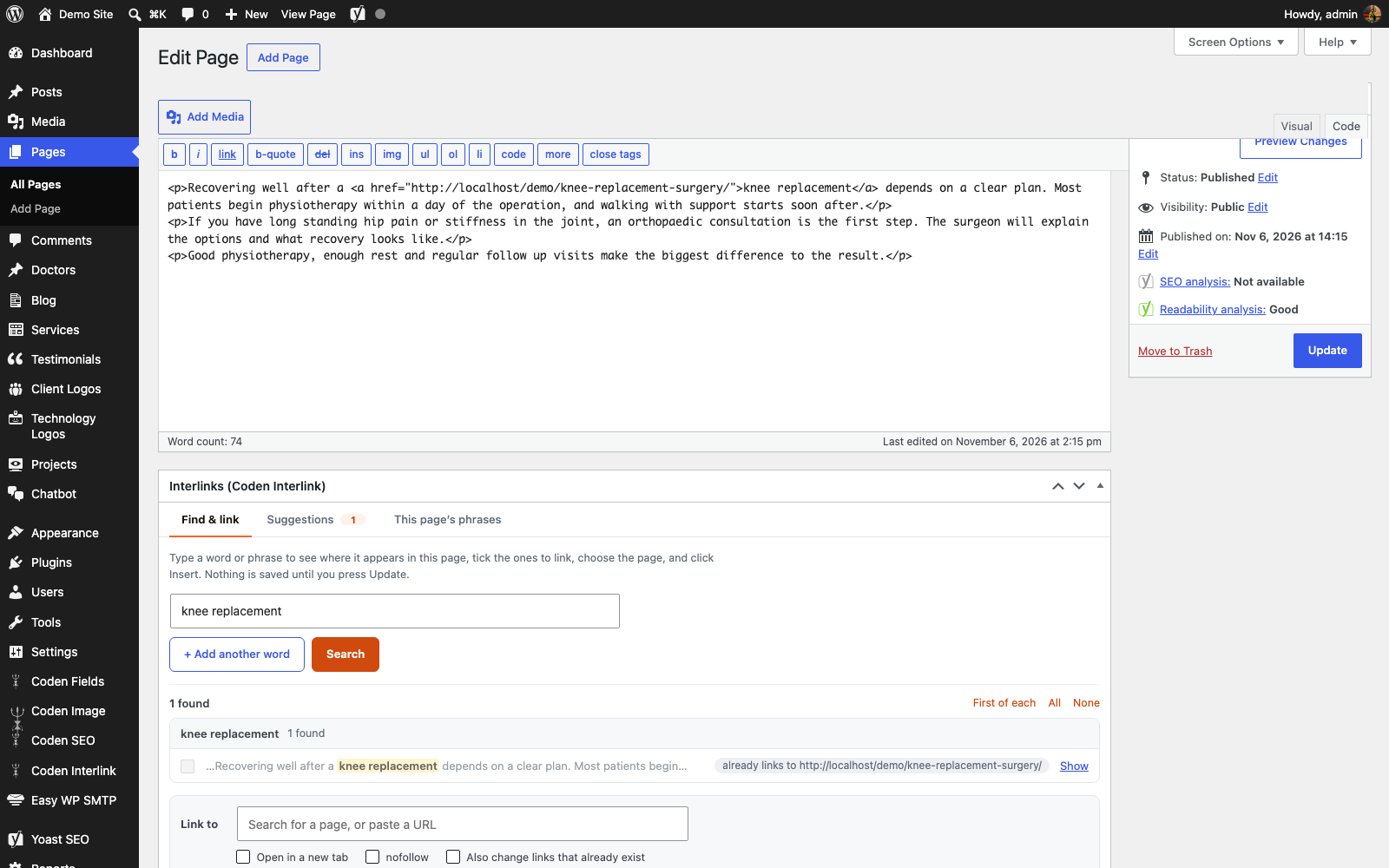
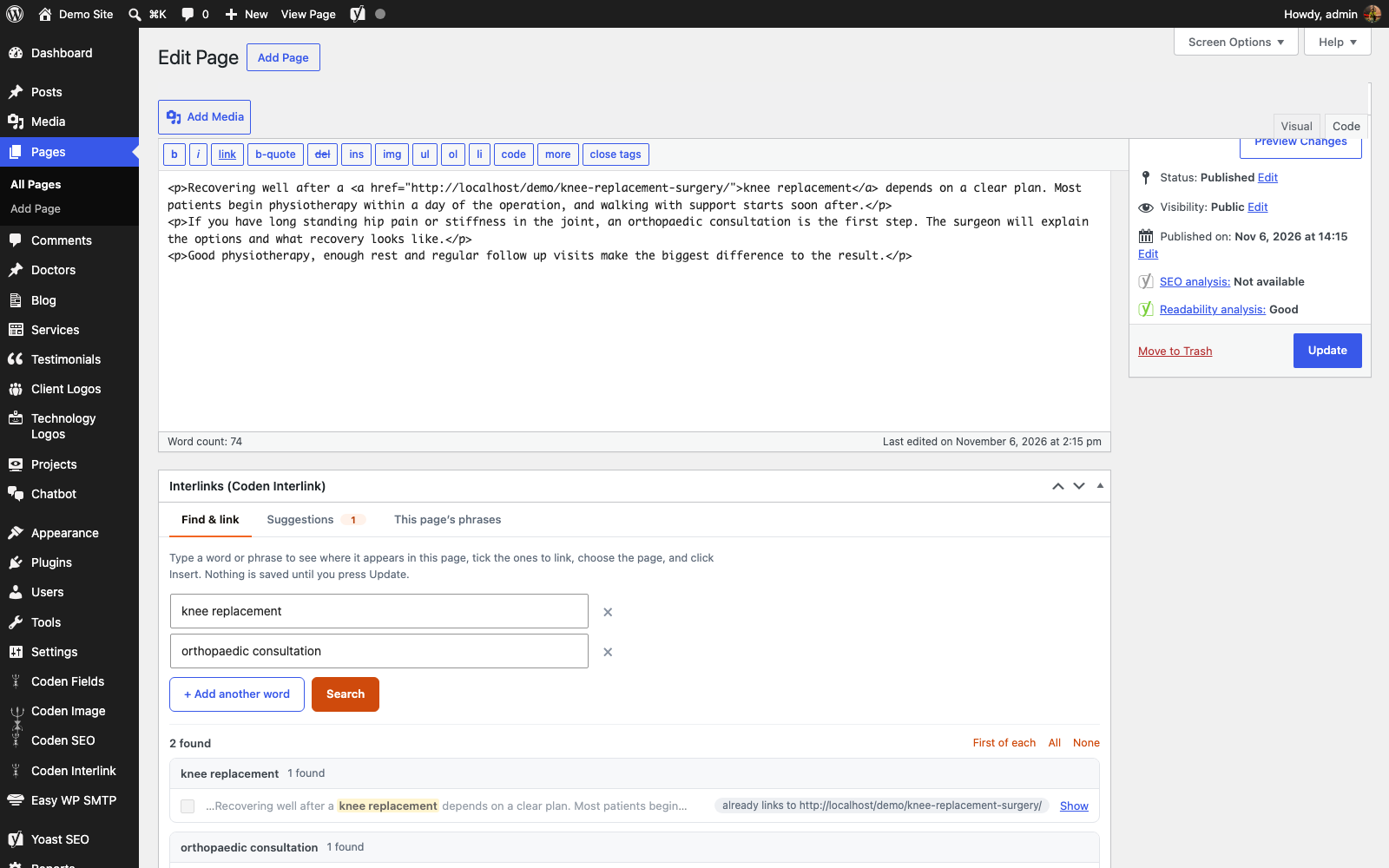
Find every match
Type a word or phrase and see each place it appears, with the words around it and the heading it sits under. The first match of each word is ticked for you.
Link in one click
Pick a page by typing its name or paste any address. Choose open in a new tab or nofollow, then insert the link on all ticked results.
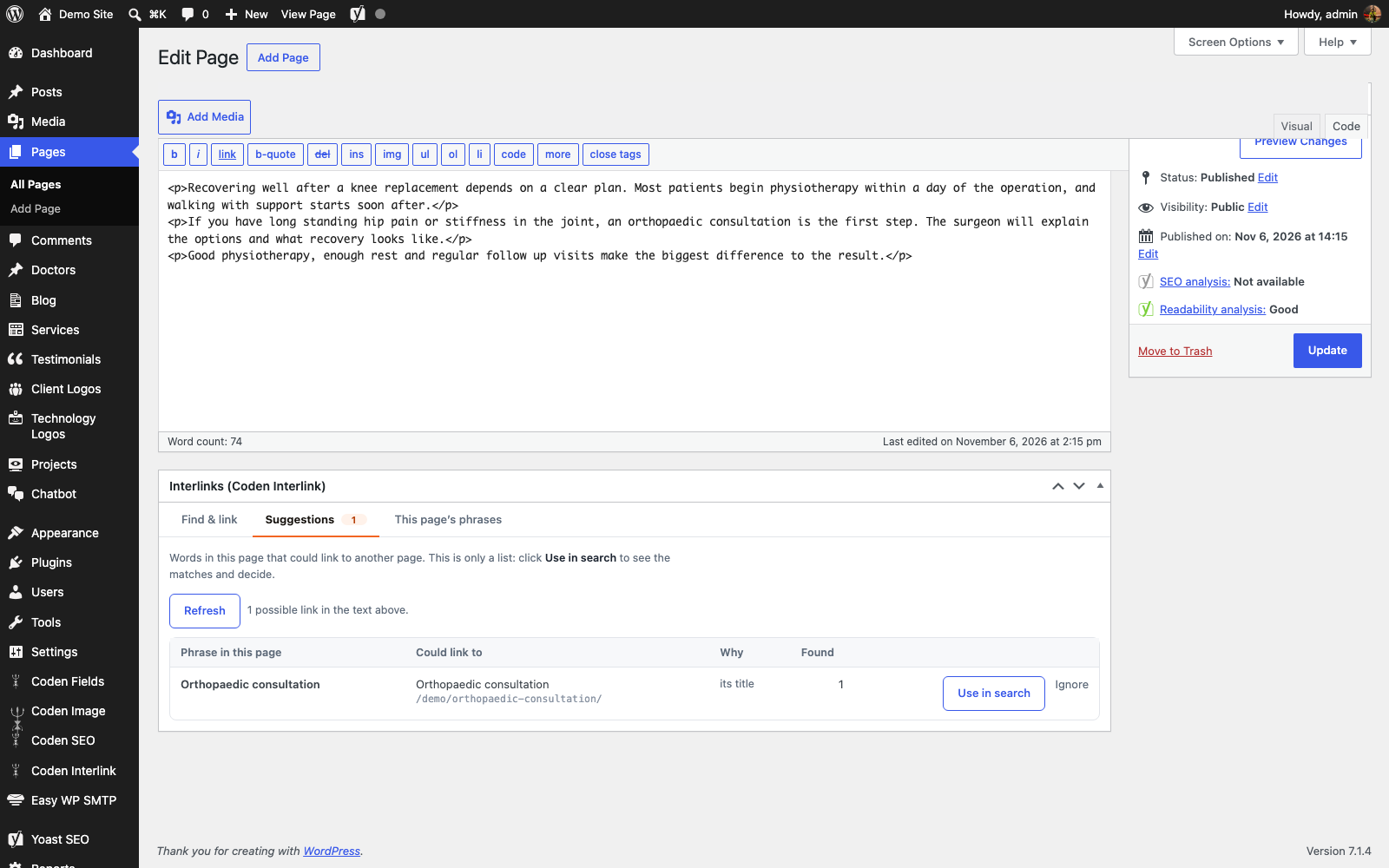
Suggestions for each page
A read-only list of phrases that could link to another page, taken from page titles, Yoast focus keyphrases and phrases you set yourself.
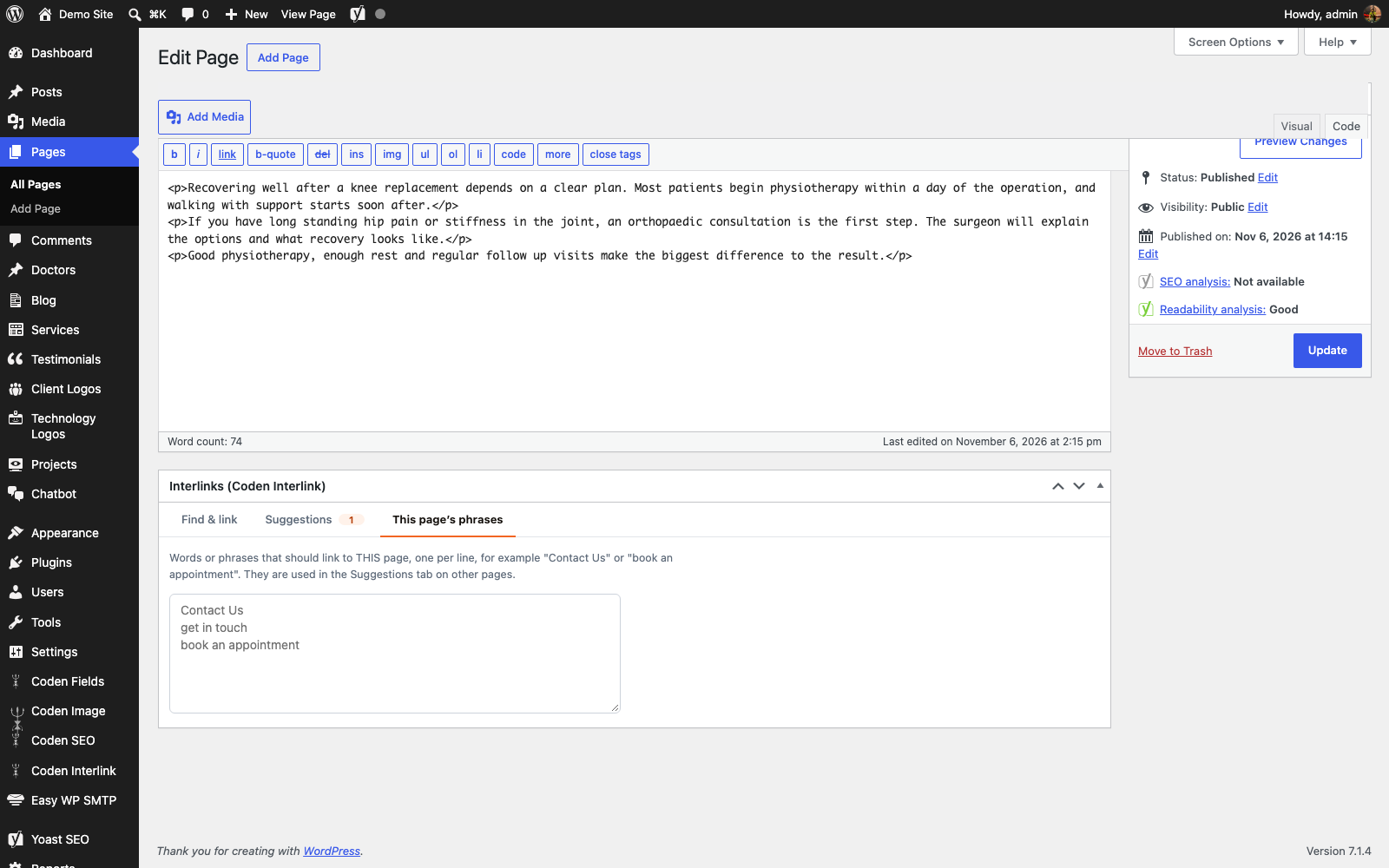
Phrases for this page
List the words that should link to a page, such as "Contact Us" or "book an appointment". They show up as suggestions on your other pages.
Careful with your content
Text already inside a link is left alone. Headings are listed but not ticked. Alt text, attributes, code, scripts and shortcodes are never matched.
Visual and Text tabs
It works in both editor tabs and shows each match in context. Show scrolls the editor to the spot.
Nothing changes until you say so
Links are inserted into the editor only when you click Insert link, and saved only when you press Update. Undo with Ctrl or Cmd plus Z.
Several words at once
Add more than one word and send them all to the same page. Matches are whole words and are not case sensitive.
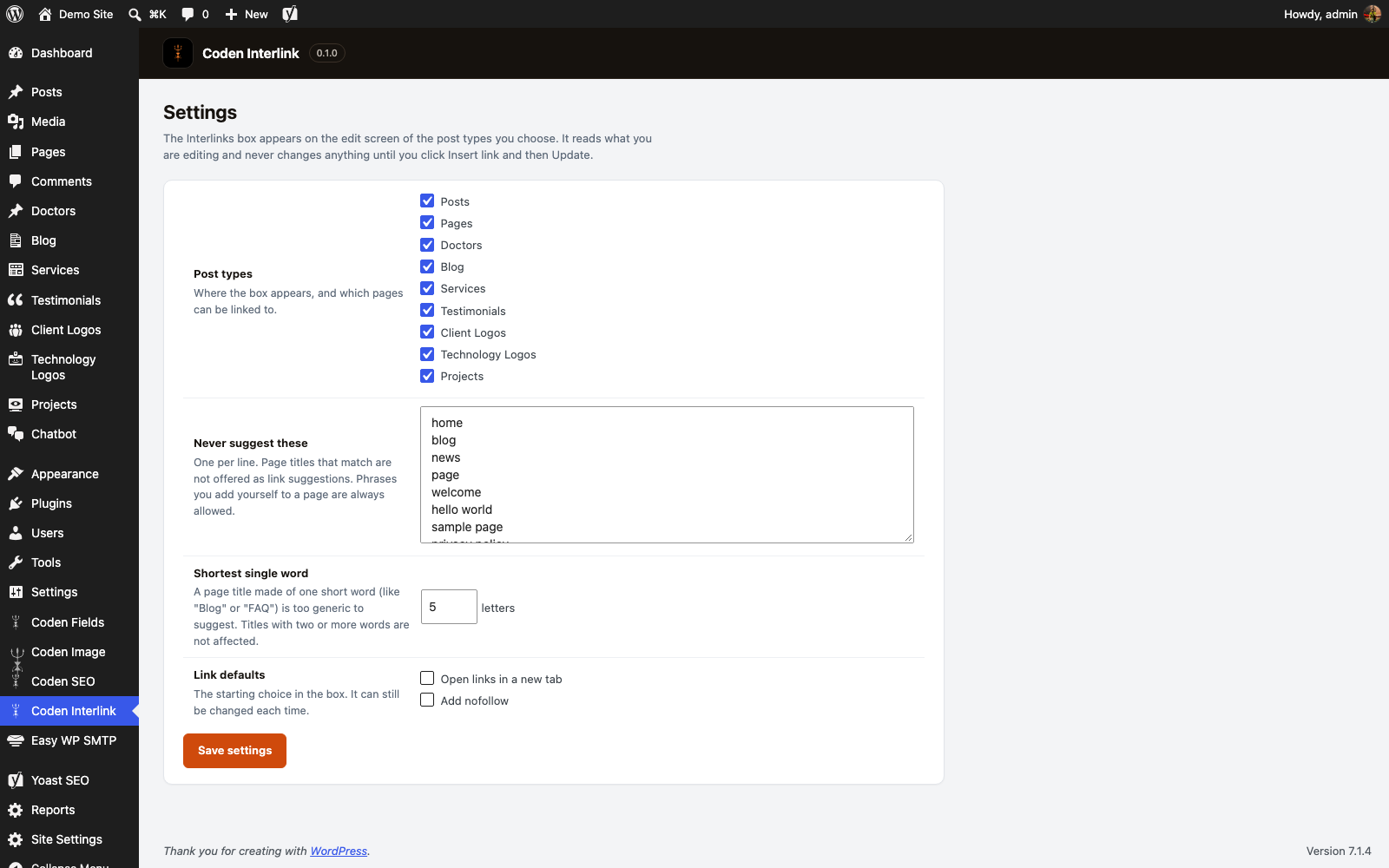
Simple settings
Choose which post types get the box, list pages that should never be suggested, and set link defaults.
Everything in one small box.

Want Coden Interlink on your WordPress?
Tell us about your website and we will get back to you.
- Click Get a quote and tell us about your WordPress website.
- Mention that you are interested in Coden Interlink and which post types you want it on.
- We review your request and reply with the next steps.
Coden Interlink is a separate plugin. Remove it and the box is gone, and the links you added stay in your pages as normal links.
Good to know.
Does it work with the block editor?
Coden Interlink is made for the classic editor. In the block editor only the "This page's phrases" tab is available.
Does it change my content without asking?
No. Links are only added to the editor when you click Insert link, and nothing is saved until you press Update. You can also undo with Ctrl or Cmd plus Z.
Will it link text that is already linked?
No. Text already inside a link is shown as "already links to" and left alone, unless you tick the option to change links that already exist.
Where do the suggestions come from?
Only from clear signals: phrases you add to a page, that page's Yoast focus keyphrase, and that page's title. It never guesses at similar text.
Can it link my whole site at once?
No. It works on one page at a time, by design, so you can check each link.
What happens if I remove the plugin?
The box is removed. The links you added stay in your pages as ordinary links.