Schema, scripts and redirects, all in one place.
Coden SEO adds structured data, header and footer scripts and redirects to any page. It shows what every page already prints, so nothing gets added twice. Works alongside your SEO plugin.
Everything your pages need, in plain sight.
Schema on any page
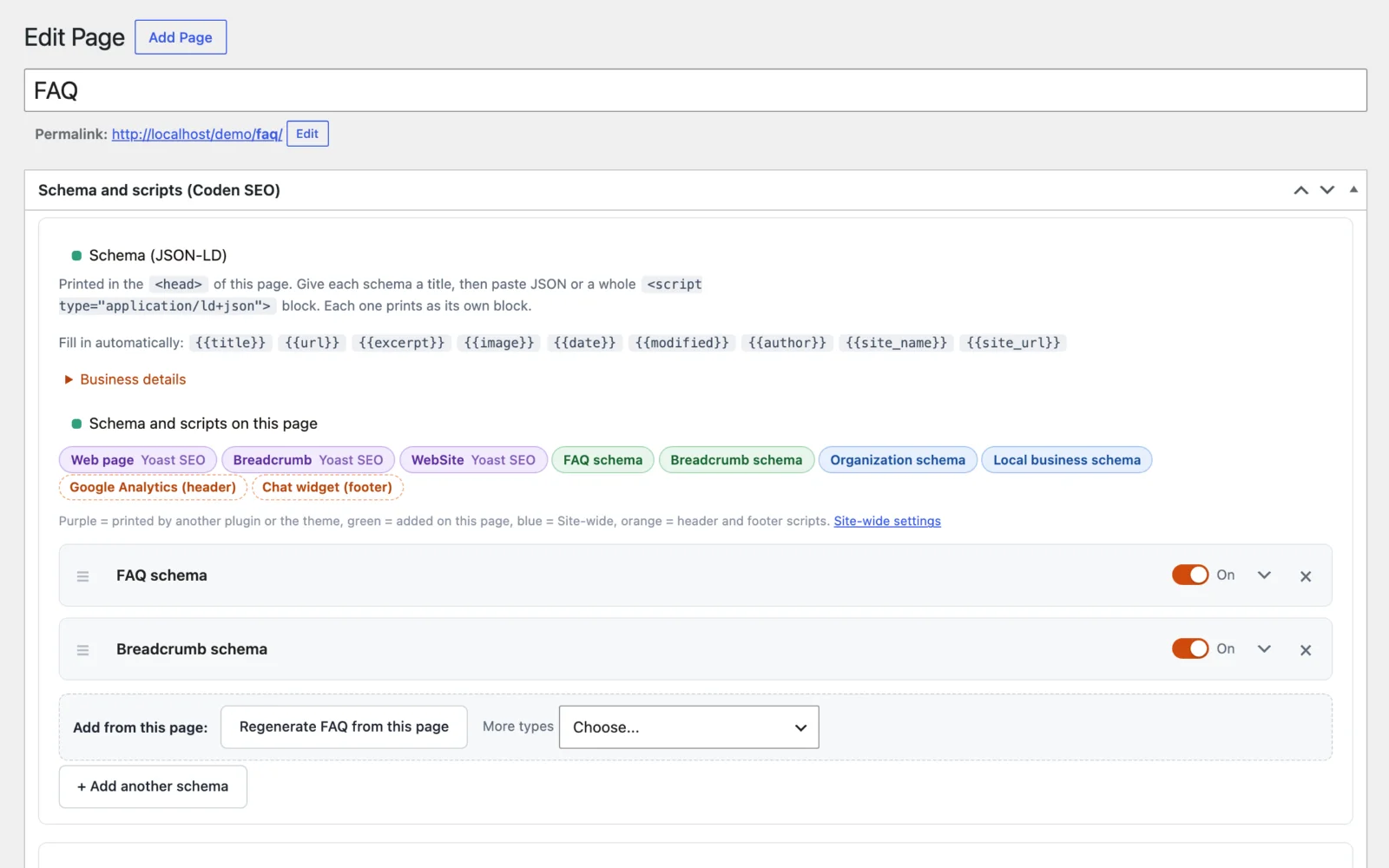
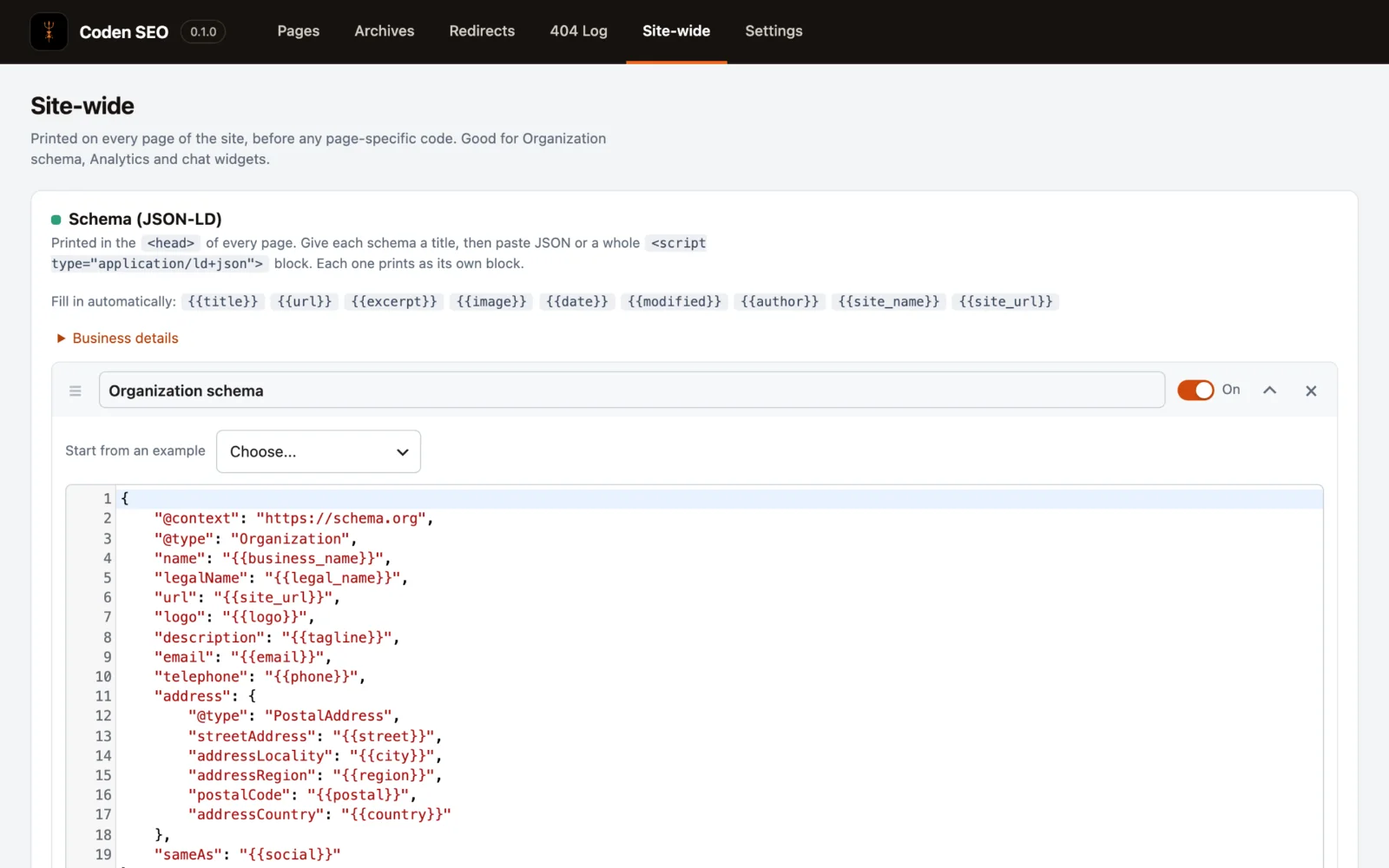
Give each schema a title, paste JSON or a whole script block, and switch it on or off. Invalid JSON is caught before you save.
Suggestions from the page
FAQ from your question headings, Breadcrumb from the page tree, plus Article, Service, Product, Person and more. One click fills in the title, address and image.
See what a page really prints
Scan the live page and list every schema block on it, whether it came from Yoast, another plugin or your theme. Duplicates are easy to spot.
Business details, once
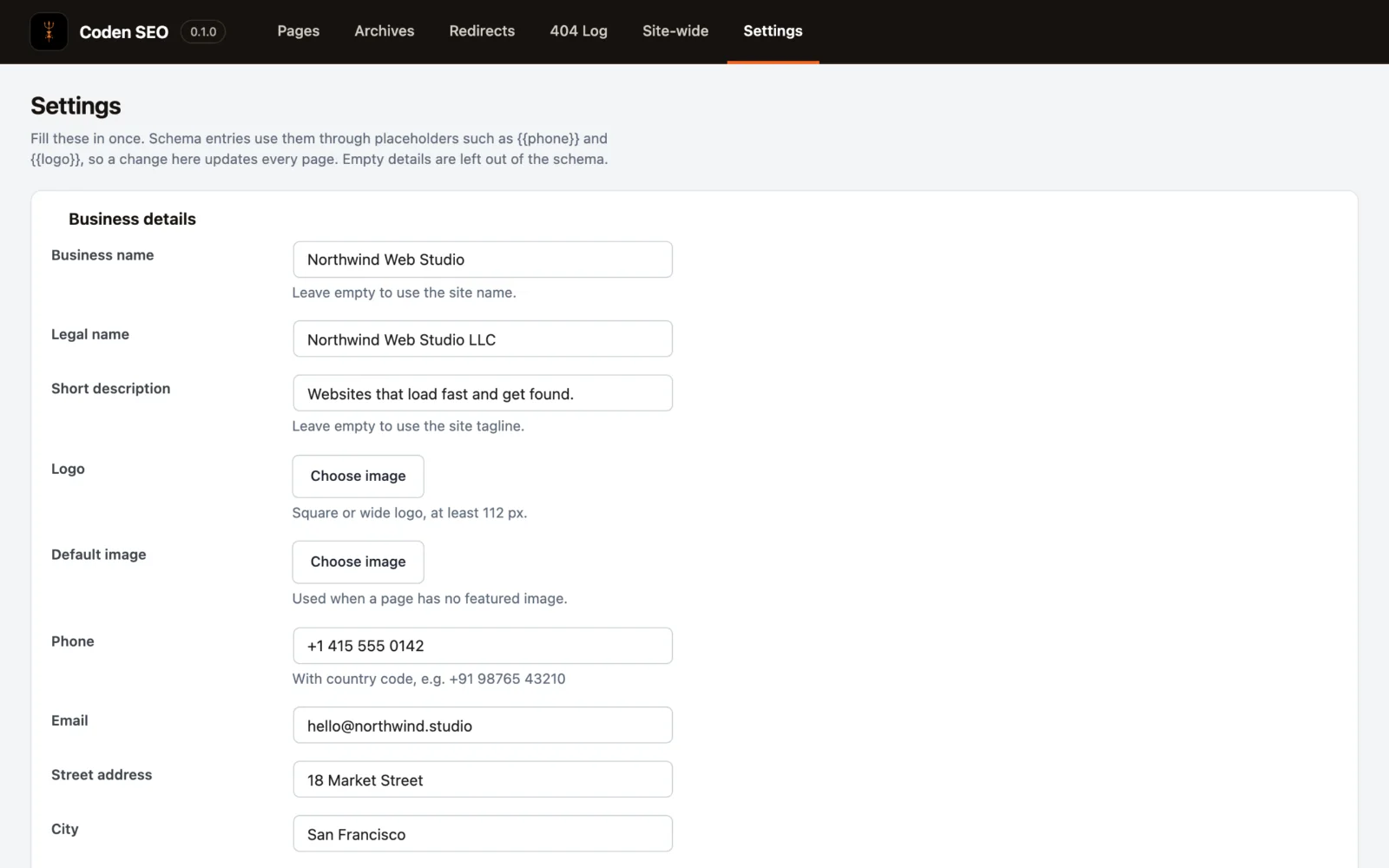
Save your name, phone, address, hours and social links in Settings. Placeholders like {{phone}} fill them into every schema. Empty details are left out.
Header and footer scripts
Analytics, pixels and chat widgets, per page or site-wide, each with a title and an on/off switch. Reorder them by dragging.
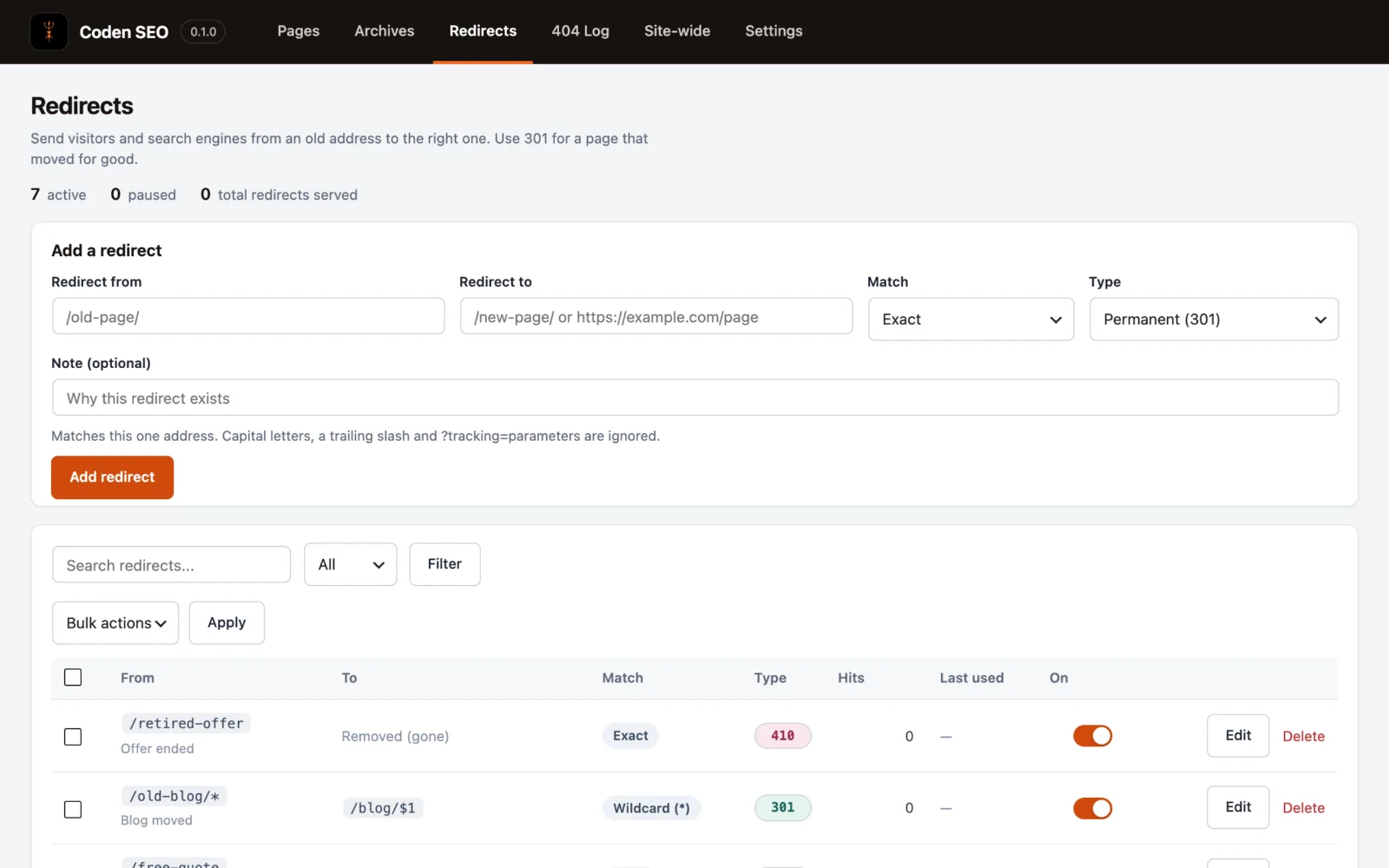
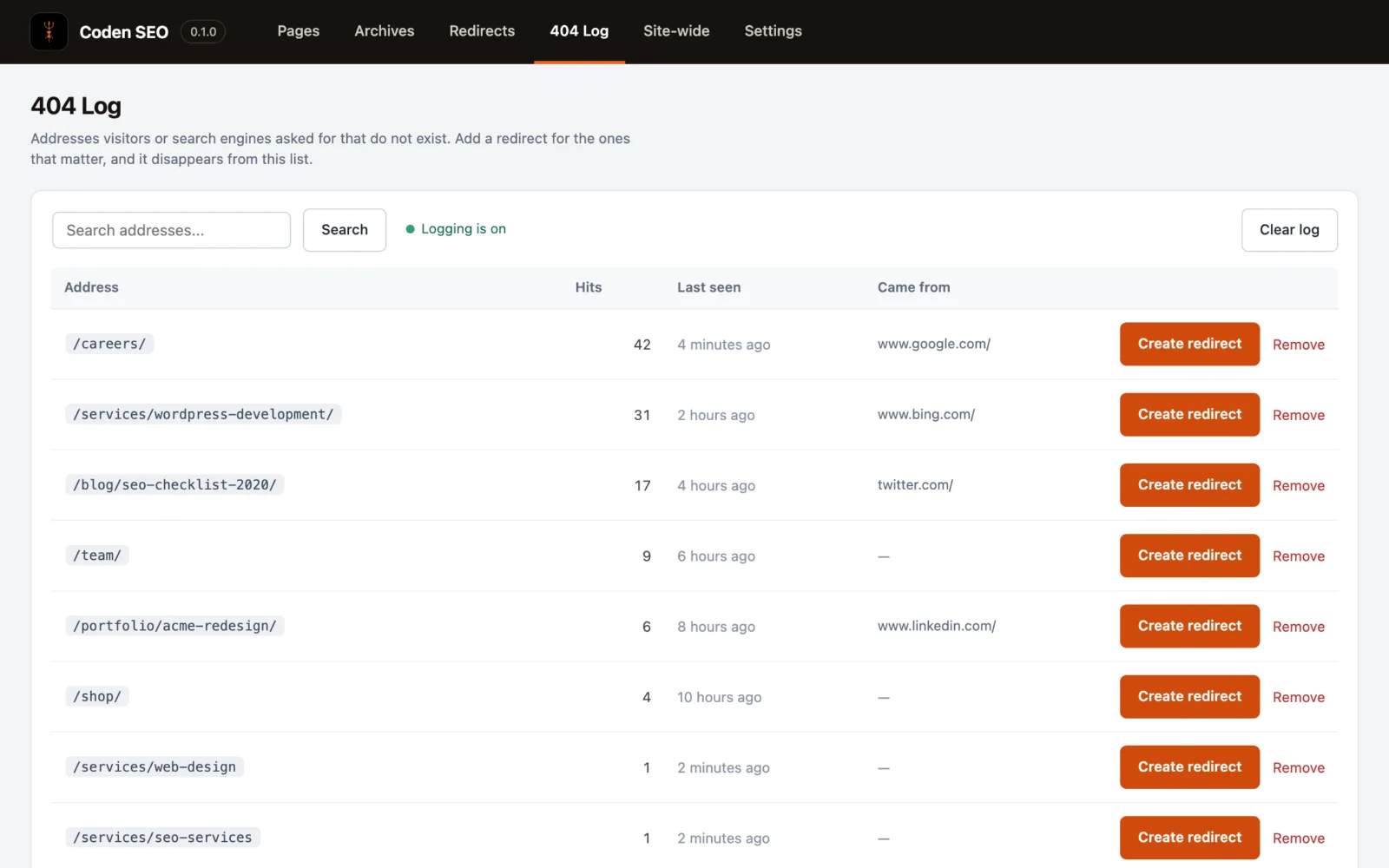
Redirects and a 404 log
301, 302, 307, 308 and 410, with wildcard and regex rules. Pages that change address are redirected automatically, and broken links turn into rules in one click.
Archives covered too
Categories, tags, authors, post type archives, and the search, date, 404 and latest-posts pages all get their own schema and scripts.
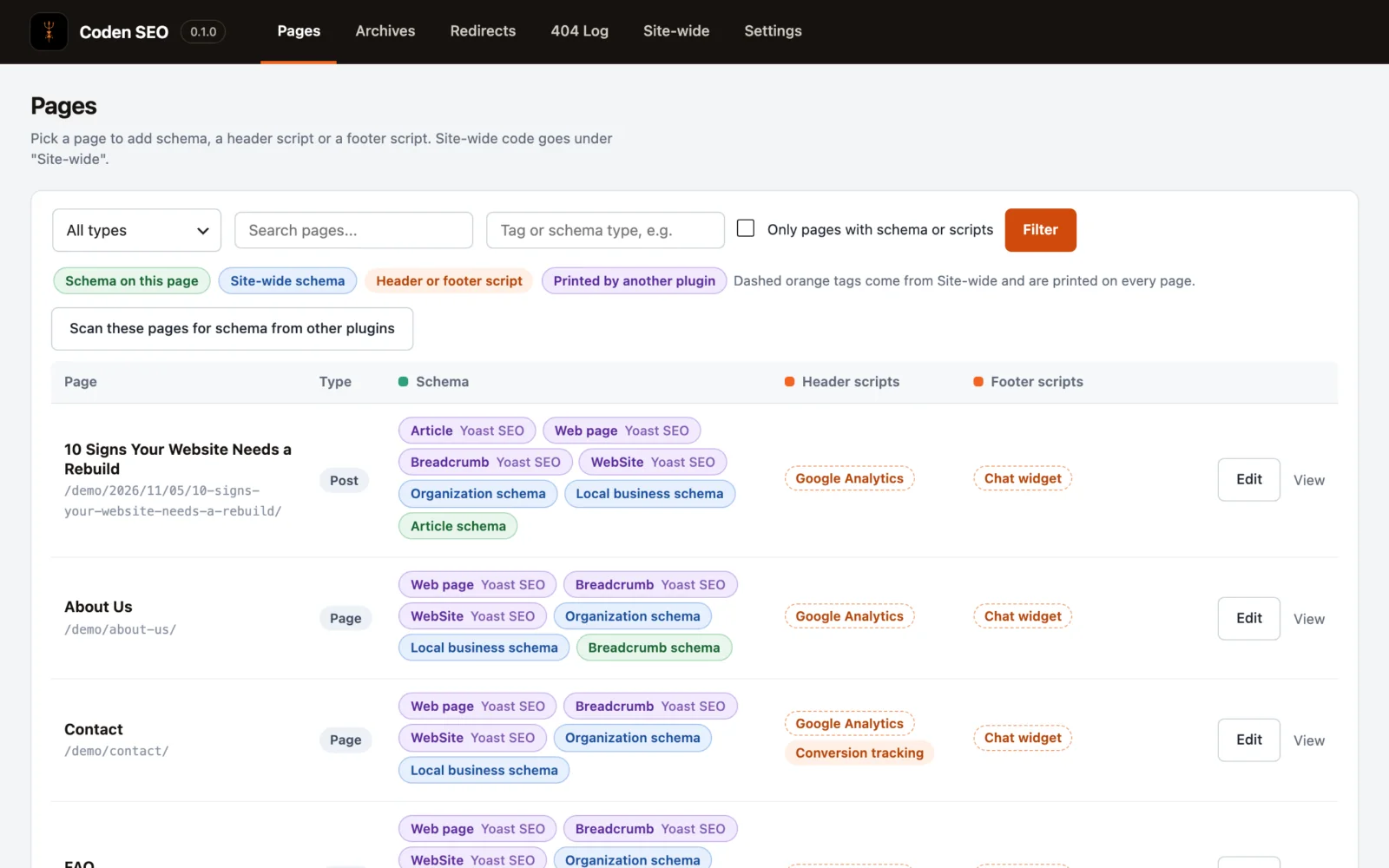
One list for the whole site
Filter by a tag or schema type, such as FAQ, to find every page that uses it. Site-wide entries show on every row, so nothing is hidden.
Careful by design
Only administrators and Yoast's SEO Manager can use it. It never edits .htaccess, and deleting the plugin removes everything it stored.
Clear labels, no guesswork.

Want Coden SEO on your WordPress?
Tell us about your website and we will get back to you.
- Click Get a quote and tell us about your WordPress website.
- Mention that you are interested in Coden SEO and what you want to add: schema, scripts or redirects.
- We review your request and reply with the next steps.
Coden SEO runs inside WordPress and never edits your .htaccess file. Removing it removes everything it stored.
Good to know.
Does Coden SEO replace my SEO plugin?
No. It works alongside SEO plugins such as Yoast SEO and does not touch titles, meta descriptions, sitemaps or social tags. It adds the schema, scripts and redirects they do not manage, and shows you what is already printed so you do not add the same schema twice.
Will I get duplicate schema if another plugin already prints some?
Coden SEO reads the finished page and lists every schema block it finds, whichever plugin printed it. Types that are already on the page are greyed out in the add menu, so you can see at a glance what is already there.
Does it work with my theme?
Yes. Coden SEO prints through WordPress's standard head and footer hooks, so it works with any theme that includes them, which is nearly every theme. It does not depend on a page builder or a theme framework.
Who can use it?
Administrators, and Yoast's SEO Manager role. Header and footer scripts run on every page, so access is deliberately narrow. Editors, authors and visitors cannot change anything.
Does it change my .htaccess file?
No. Redirects run inside WordPress, so the plugin never writes to .htaccess. If a page cache serves the old address first, clear the cache after adding a redirect.
What happens to my data if I delete the plugin?
Deleting Coden SEO from the Plugins screen removes everything it stored: settings, schema and scripts on pages, redirects and the 404 log.