Know where every rupee goes.
Type an amount, tag it, done. Expense Counter shows your day, month and year at a glance, with no login, no ads and no internet needed.
Everything you need, nothing you don't.
Two fields, zero fuss
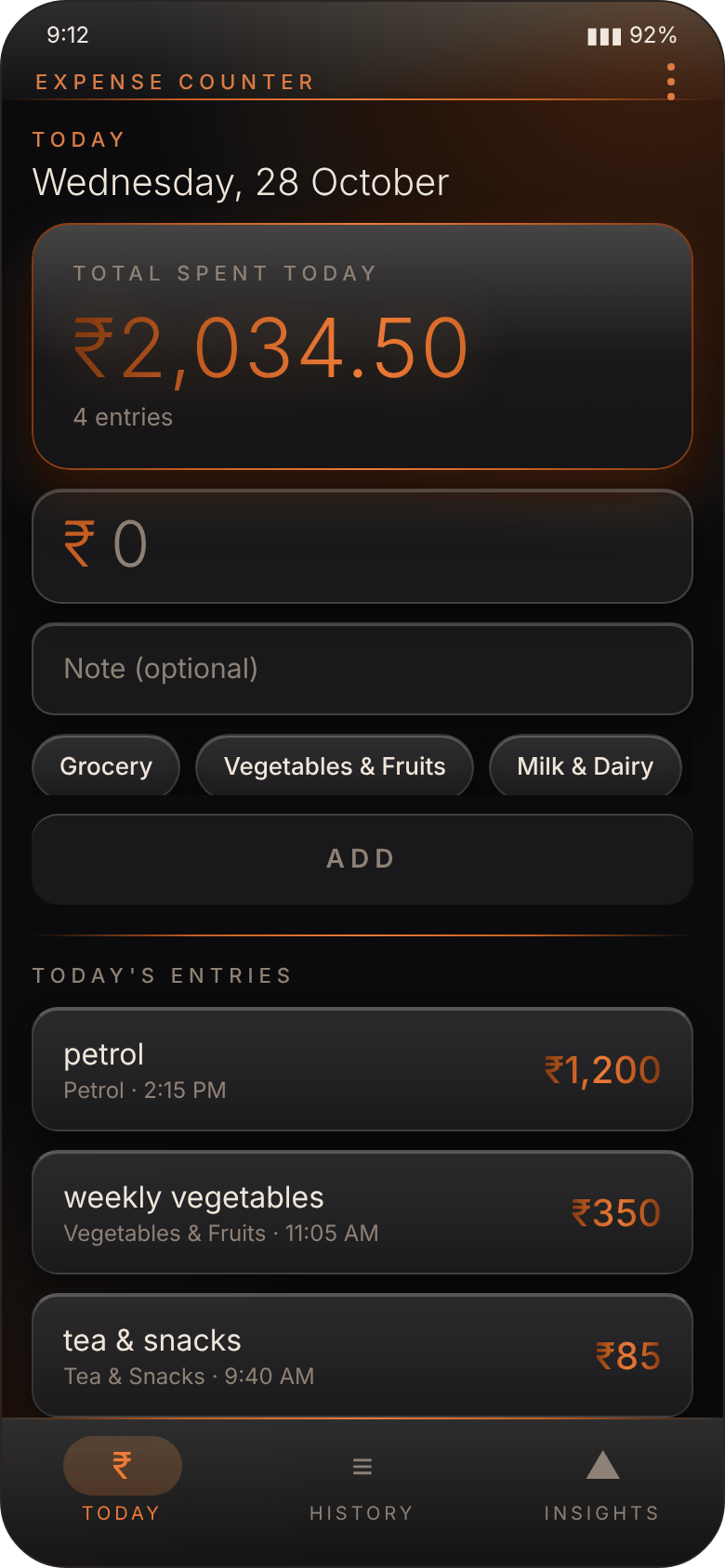
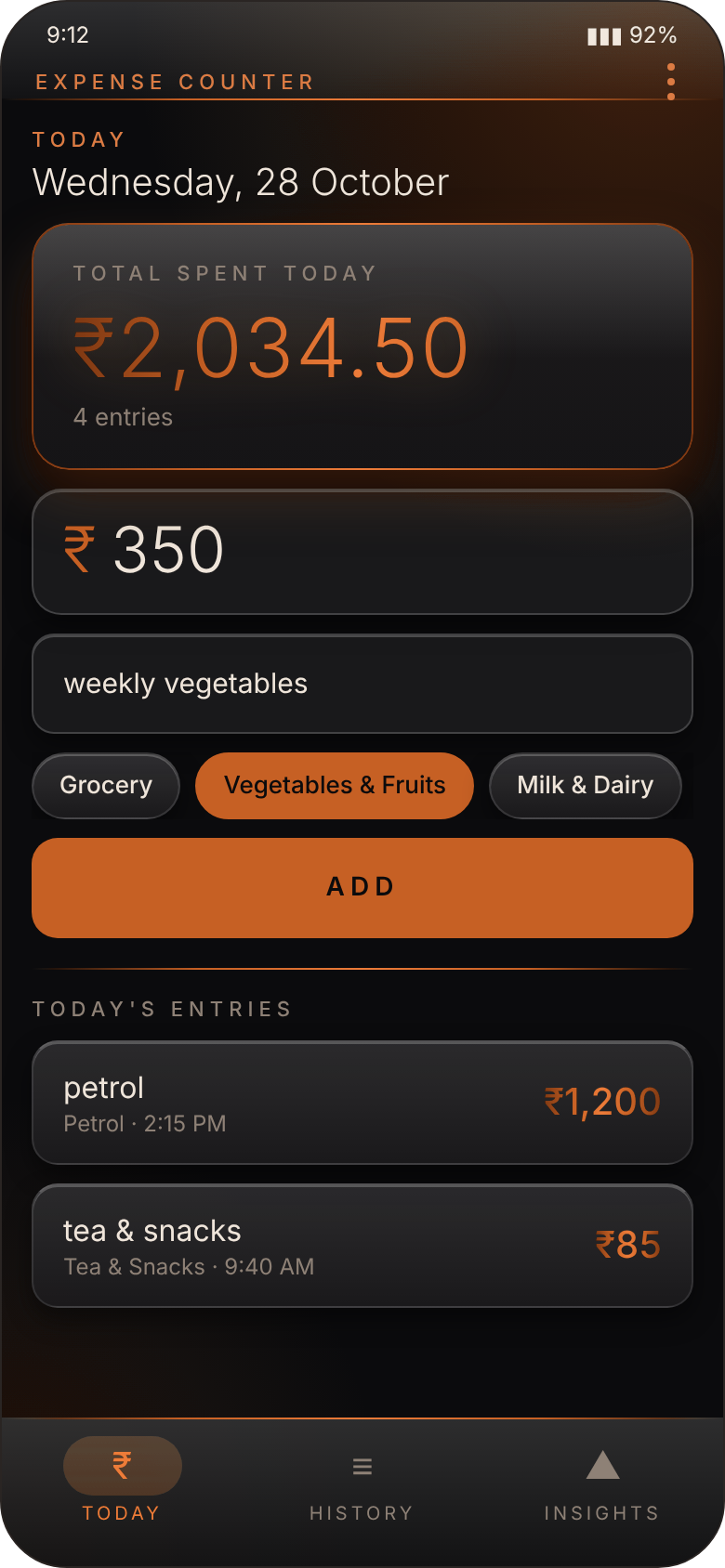
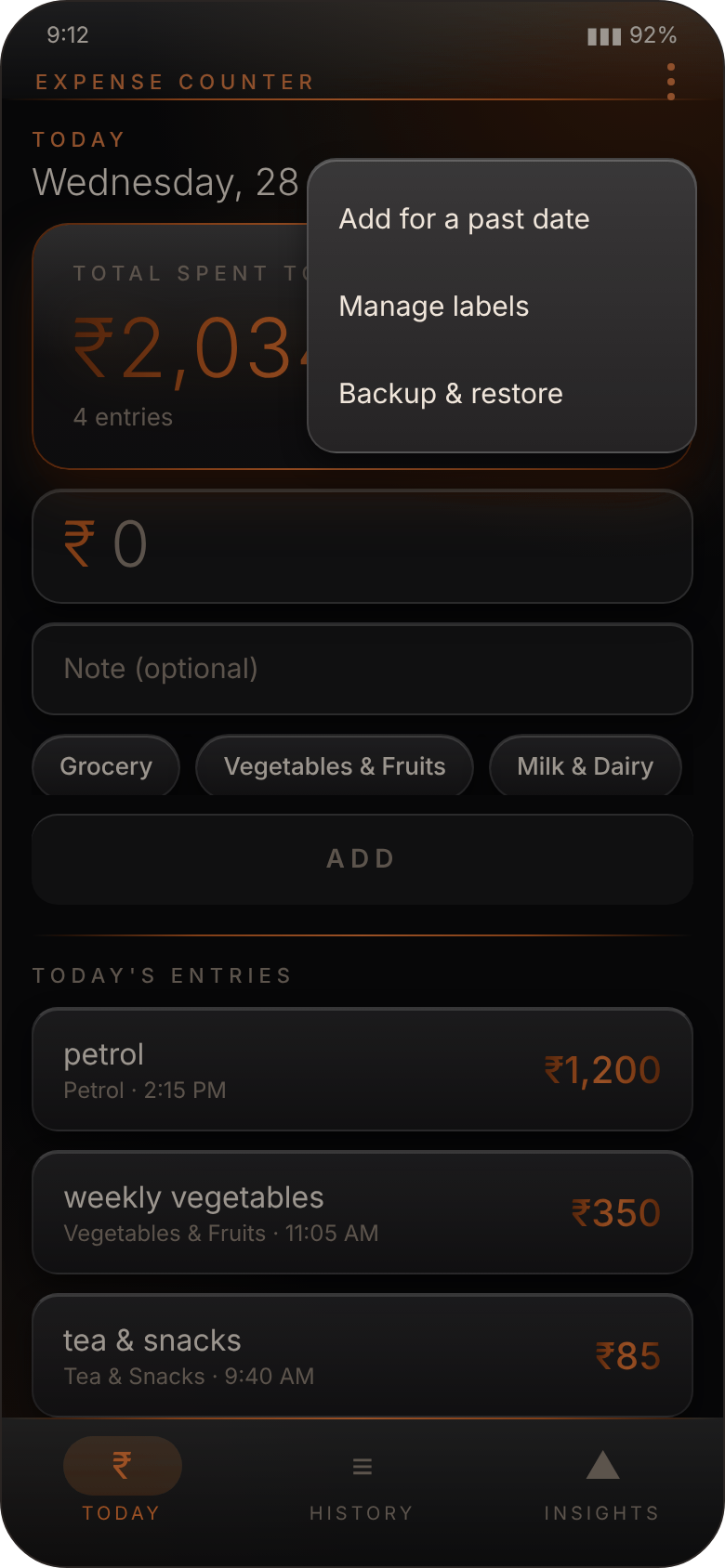
A big field for the amount and a small one for a note. Tap Add, and your day's total updates instantly.
14 labels, plus your own
Grocery, Petrol, Rent, Bills, Smoking, Alcohol and more are ready to tap. Need something else? Add your own label in seconds.
Insights at a glance
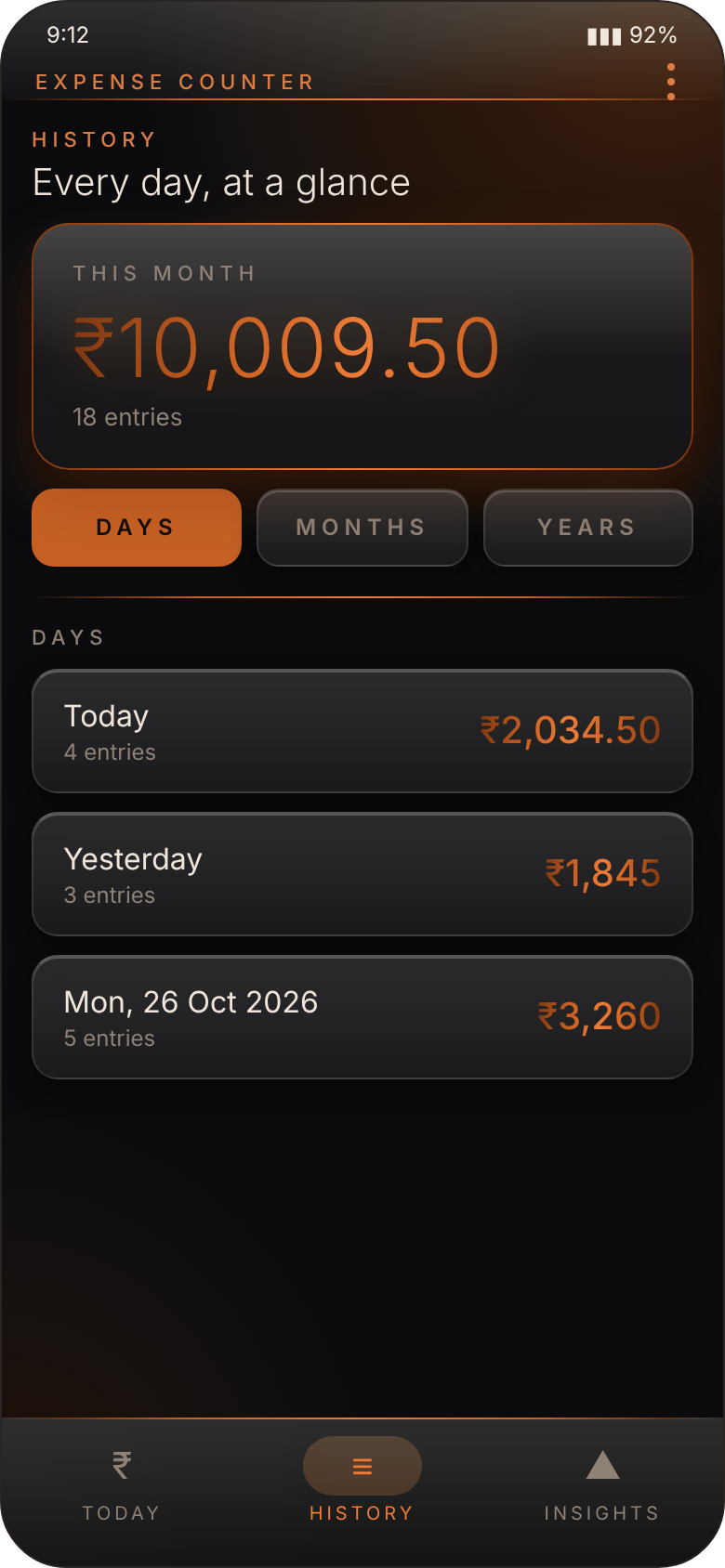
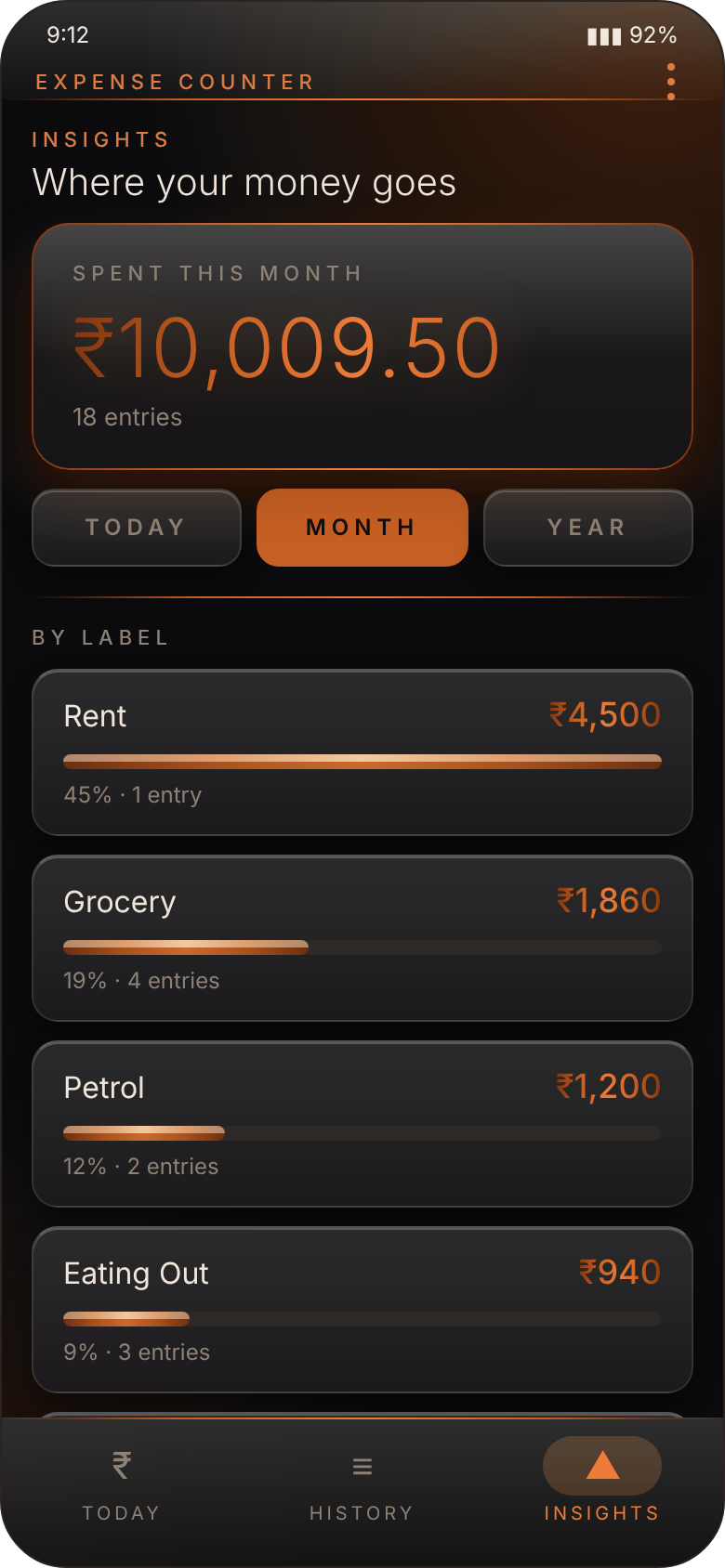
Orange bars show where your money goes by label, for today, this month or this year. History lists every day, month and year with totals.
Fix anything, any time
Edit or delete an entry, with a confirmation before anything is removed. Forgot yesterday's expense? Add it to any past date.
Private by design
No sign-up, no login, no ads, no tracking. Your entries stay on your phone and the app works fully offline.
Backups you control
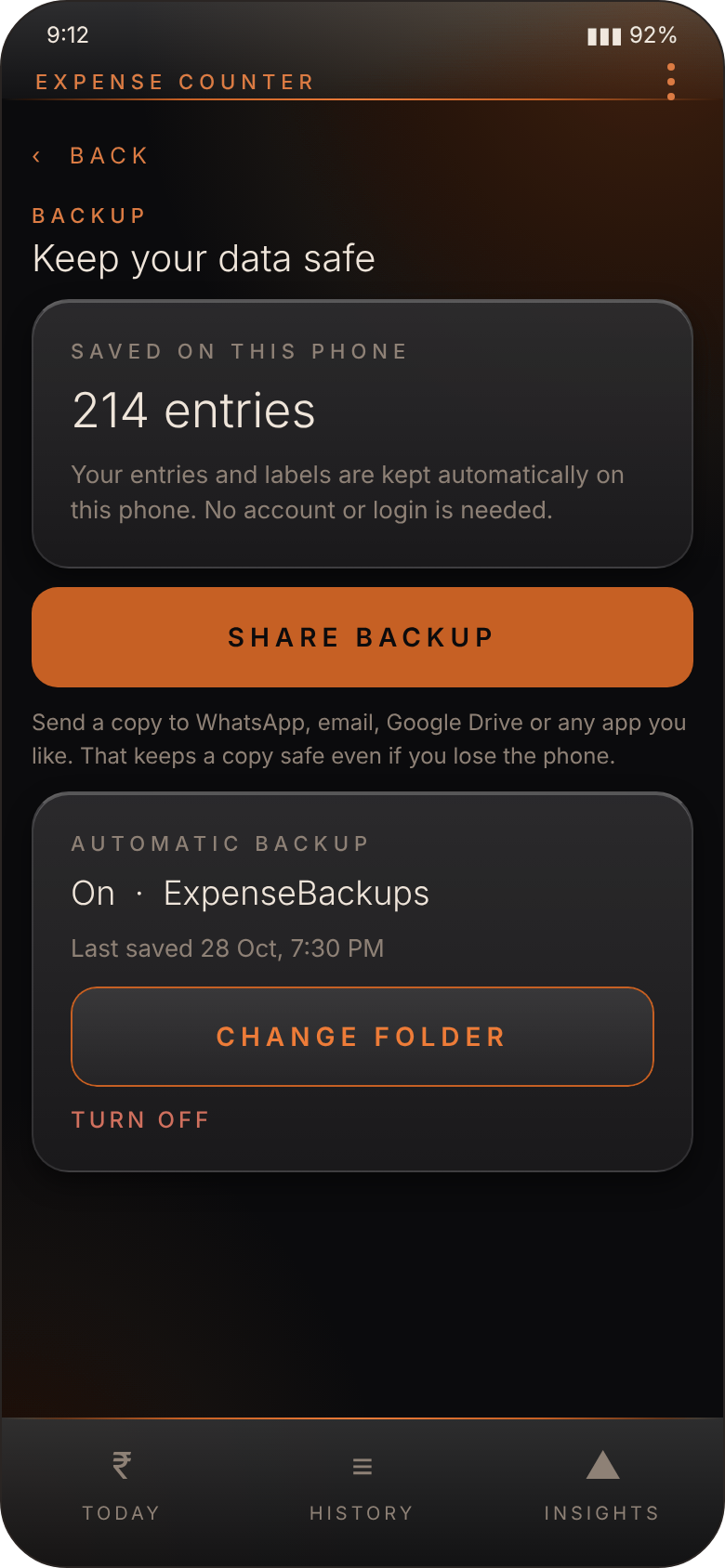
Share a backup to WhatsApp, email or Drive, or pick a folder for automatic backups. A quiet reminder appears on the 1st of each month, never a pop-up.
Dark, glossy and easy on the eyes.

Get Expense Counter
Updating? Install the new file over the old one. Your entries are kept.
- Tap Download APK on your Android phone.
- Open the downloaded file. If Android asks, allow installs from your browser, just for this once.
- Tap Install, then open Expense Counter and add your first expense.
This app isn't on the Play Store, so Android shows a standard "unknown source" notice. That's normal for apps installed directly.
Good to know.
Do I need an account or internet?
No. There is no sign-up and no login, and everything works offline. Your entries are stored on your phone.
What happens to my data if I reinstall or change phones?
Phones with Google backup restore the app's data automatically on the same Google account. To be safe, use Share backup (WhatsApp, email, Drive) or turn on the automatic backup folder, then tap Import backup on the new phone.
Can I add my own categories?
Yes. Tap "+ New label" on the Today screen, or open the menu and choose Manage labels. You can rename or delete your own labels at any time.
I forgot to add yesterday's expense. Can I add it now?
Yes. Open the menu, choose "Add for a past date", pick the day, and add the entry there.
Does it show ads or collect my information?
No ads, no tracking and no accounts. Nothing leaves your phone unless you choose to share a backup.