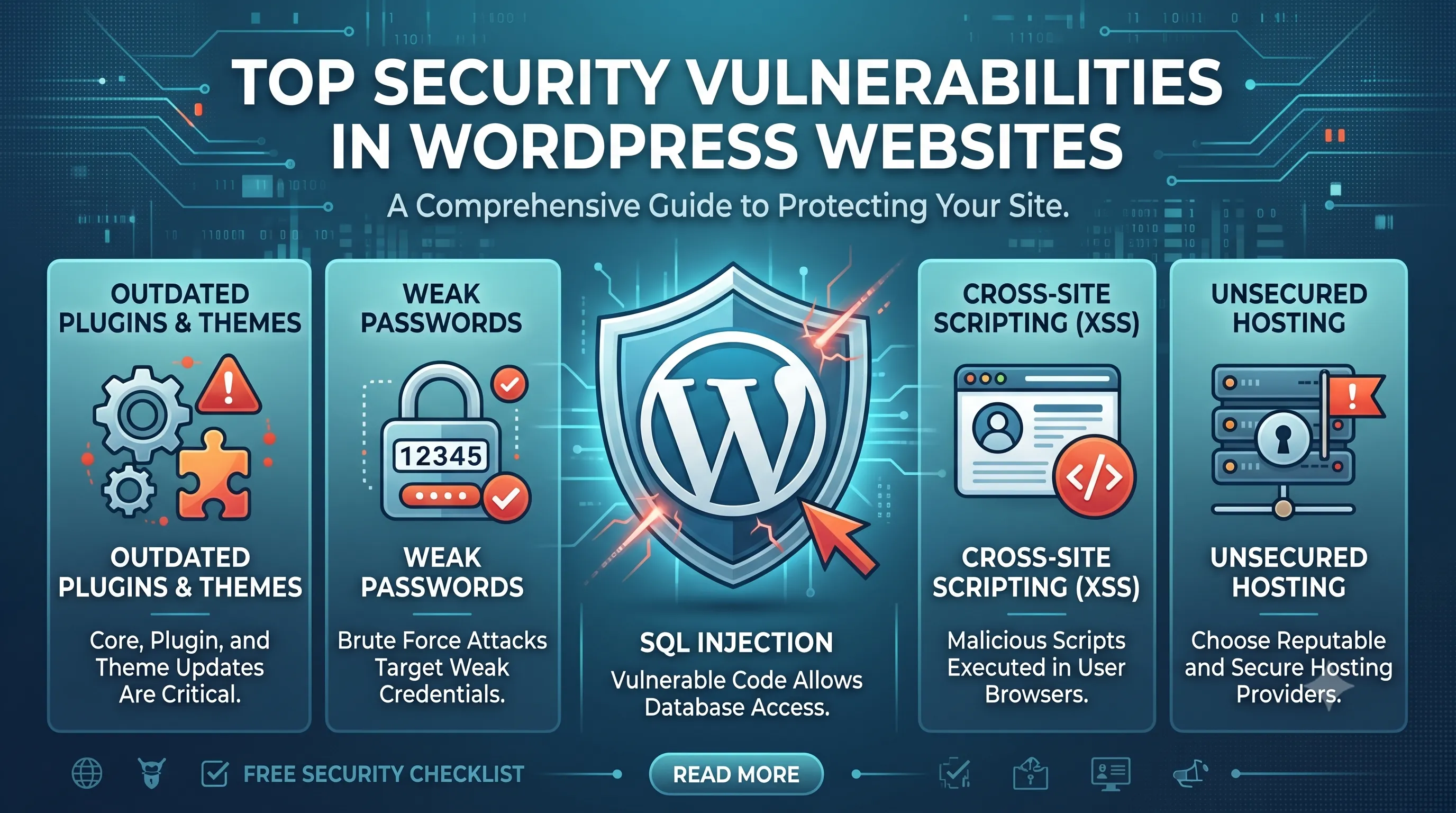
WordPress powers millions of websites, but it is also a frequent target for hackers due to its popularity.
Most security breaches are not due to WordPress itself, but due to poor configuration, outdated plugins, and weak security practices.
This guide explains the most common WordPress security vulnerabilities and how to fix them in 2026.
1. Outdated WordPress Core, Themes, and Plugins
One of the biggest security risks is running outdated software.
- Old plugins may contain known vulnerabilities
- Outdated themes can be exploited easily
- WordPress core updates often include security patches
2. Weak Login Credentials
Weak usernames and passwords are one of the easiest ways hackers gain access.
- Avoid “admin” as username
- Use strong passwords with symbols and numbers
- Enable two-factor authentication
3. Malware Injections
Malware can enter through insecure plugins, themes, or file uploads.
- Injected malicious scripts
- Hidden backdoors in files
- SEO spam injections
4. SQL Injection Attacks
Attackers exploit database queries if inputs are not properly sanitized.
- Unsafe form inputs
- Unvalidated URL parameters
- Poorly coded plugins
5. Cross-Site Scripting (XSS)
XSS allows attackers to inject malicious scripts into your website.
- Comment sections
- Contact forms
- Unescaped user input
6. File Permission Misconfiguration
Incorrect file permissions can expose sensitive files.
- Writable wp-config.php
- Public access to uploads directory
- Executable PHP files in unsafe folders
7. No Firewall or Security Monitoring
Without a firewall, your site is exposed to automated attacks.
- No brute-force protection
- No IP blocking system
- No real-time monitoring
How to Protect Your WordPress Website
- Keep WordPress, plugins, and themes updated
- Use strong authentication methods
- Install a web application firewall
- Limit login attempts
- Regular security audits
Related Services
If your website has security issues or you want to protect it from attacks, these services can help you secure and maintain your website properly:
We provide WordPress security services, ongoing website maintenance, and custom WordPress development focused on secure architecture, hardened configurations, and long-term protection against vulnerabilities.
Conclusion
Most WordPress security issues are preventable with proper maintenance and best practices.
A secure website is not optional — it directly affects your business reputation, SEO, and customer trust.