Lead Management CRM
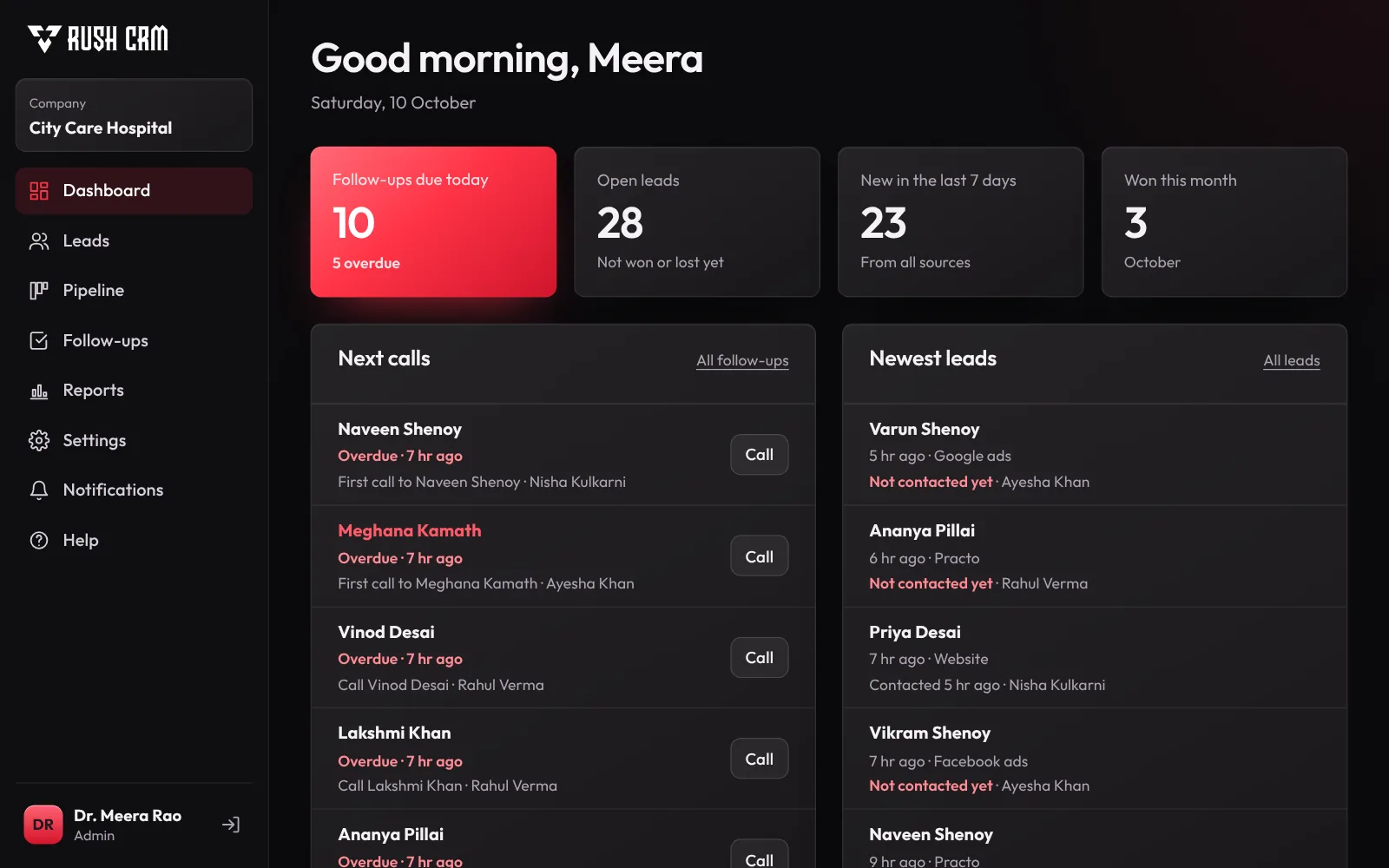
Our CRM collects leads from your website, ads and forms, gives each one to the right salesperson, and reminds them when to follow up. Your team can start using it on day one.
How It Works
From your website, ads, a spreadsheet or the API. Repeat enquiries join the existing lead.
Shared out in turn, with an instant alert to the salesperson.
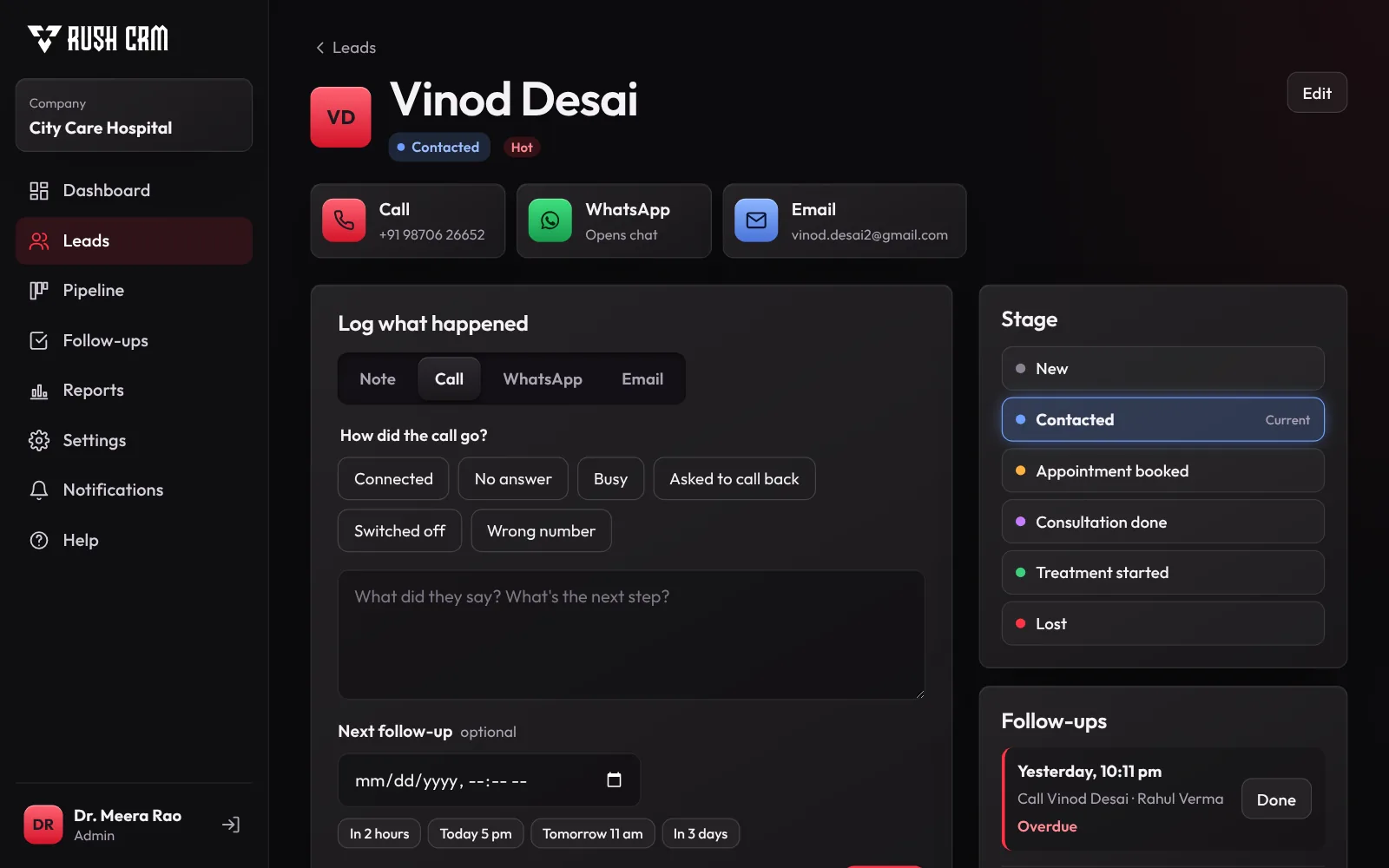
Call, WhatsApp or email in one tap, and the outcome is saved.
Each person’s list for the day. Missed ones turn red.
Won, or lost with a reason, and your reports update on their own.
Product Tour
No screens full of fields nobody fills in. Each page shows what to do next.
Lead History
Every call, WhatsApp, note and stage change in order, with who did it and when.
Lists & Filters
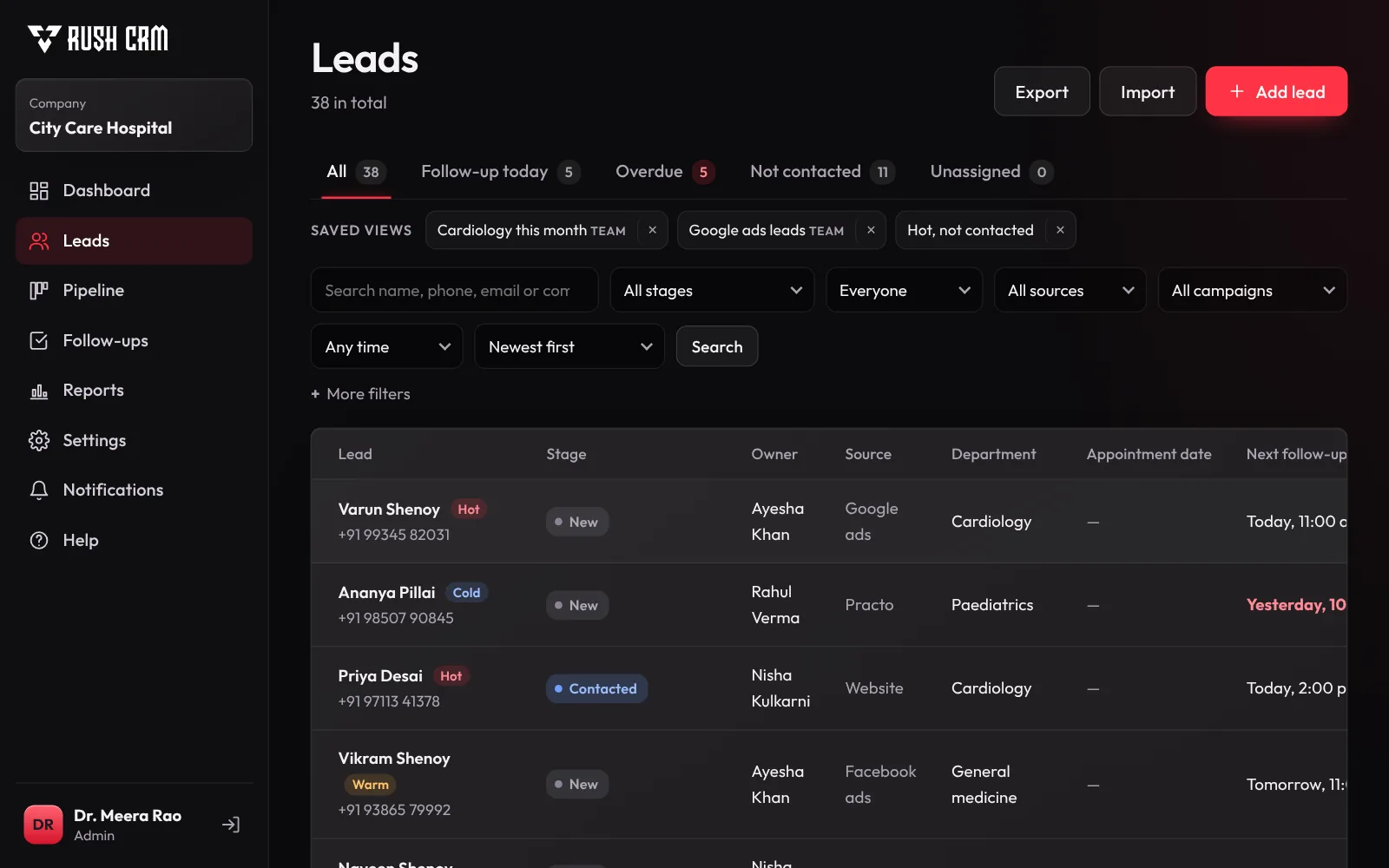
Filter by date, stage, owner, source, campaign or any field you add. Save the view for your team and download it to Excel.
Pipeline
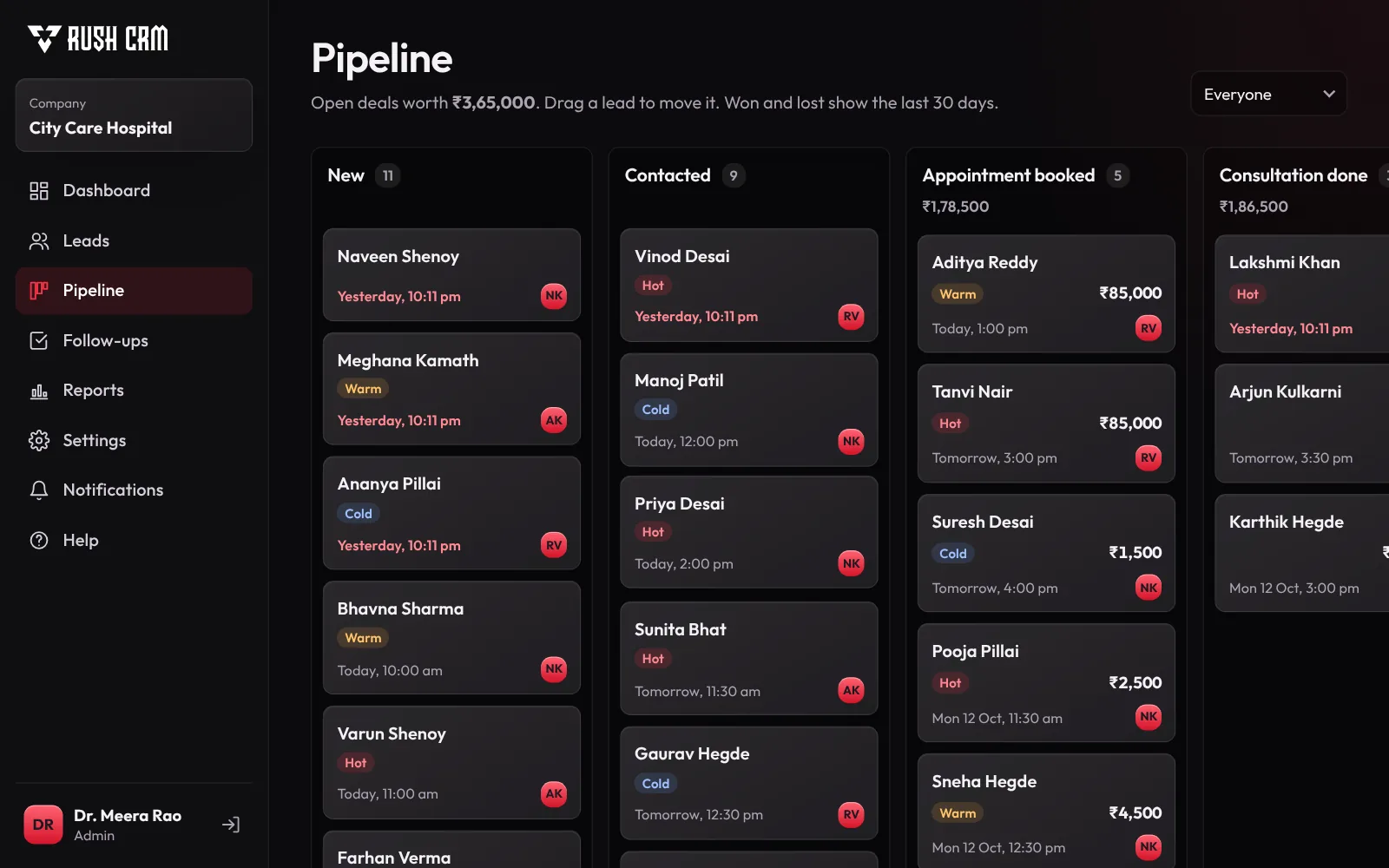
Drag a lead to its next stage and see what your open deals are worth.
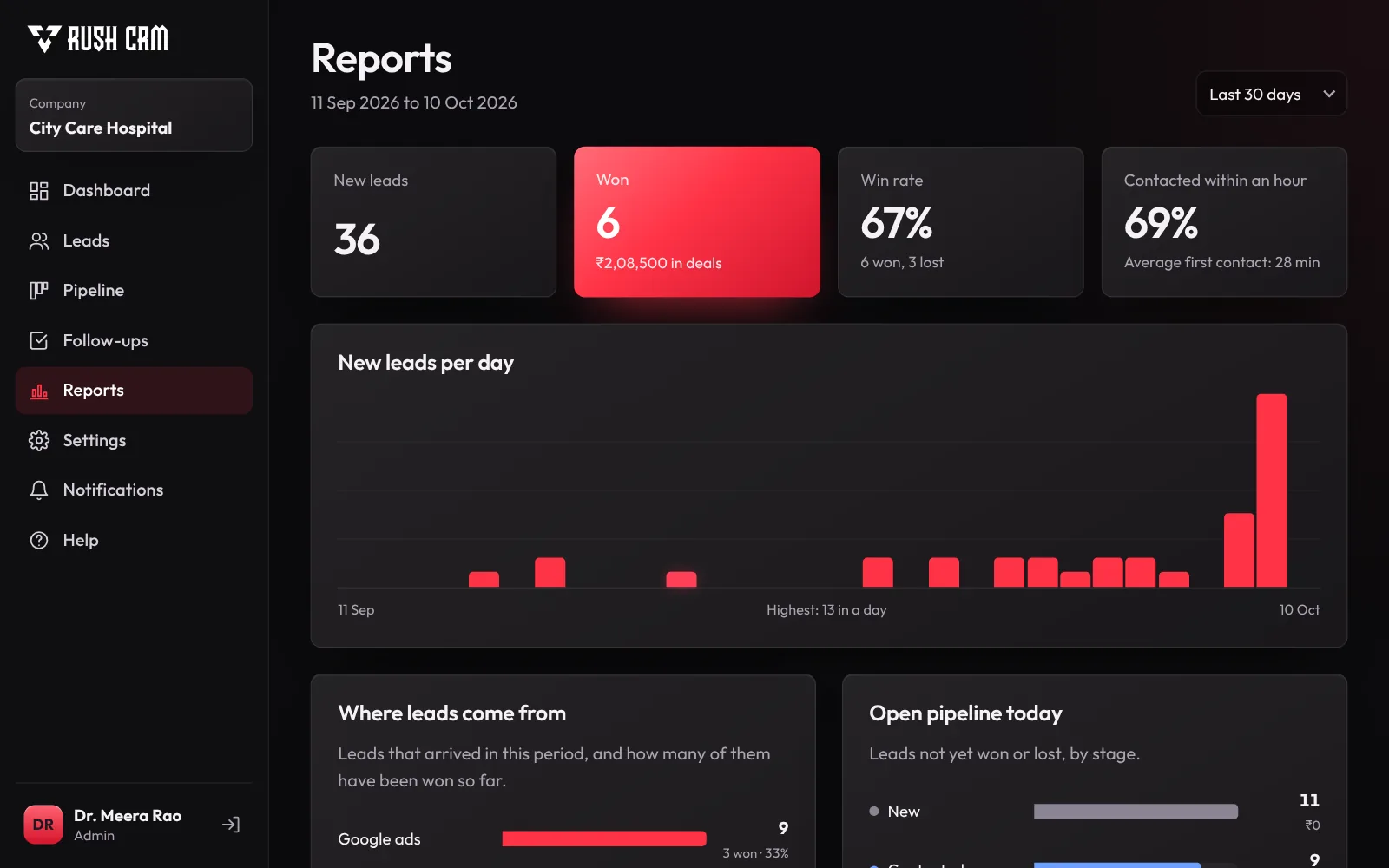
Reports
Which source brings buyers, who converts best, how fast your team calls back and which leads are going cold.
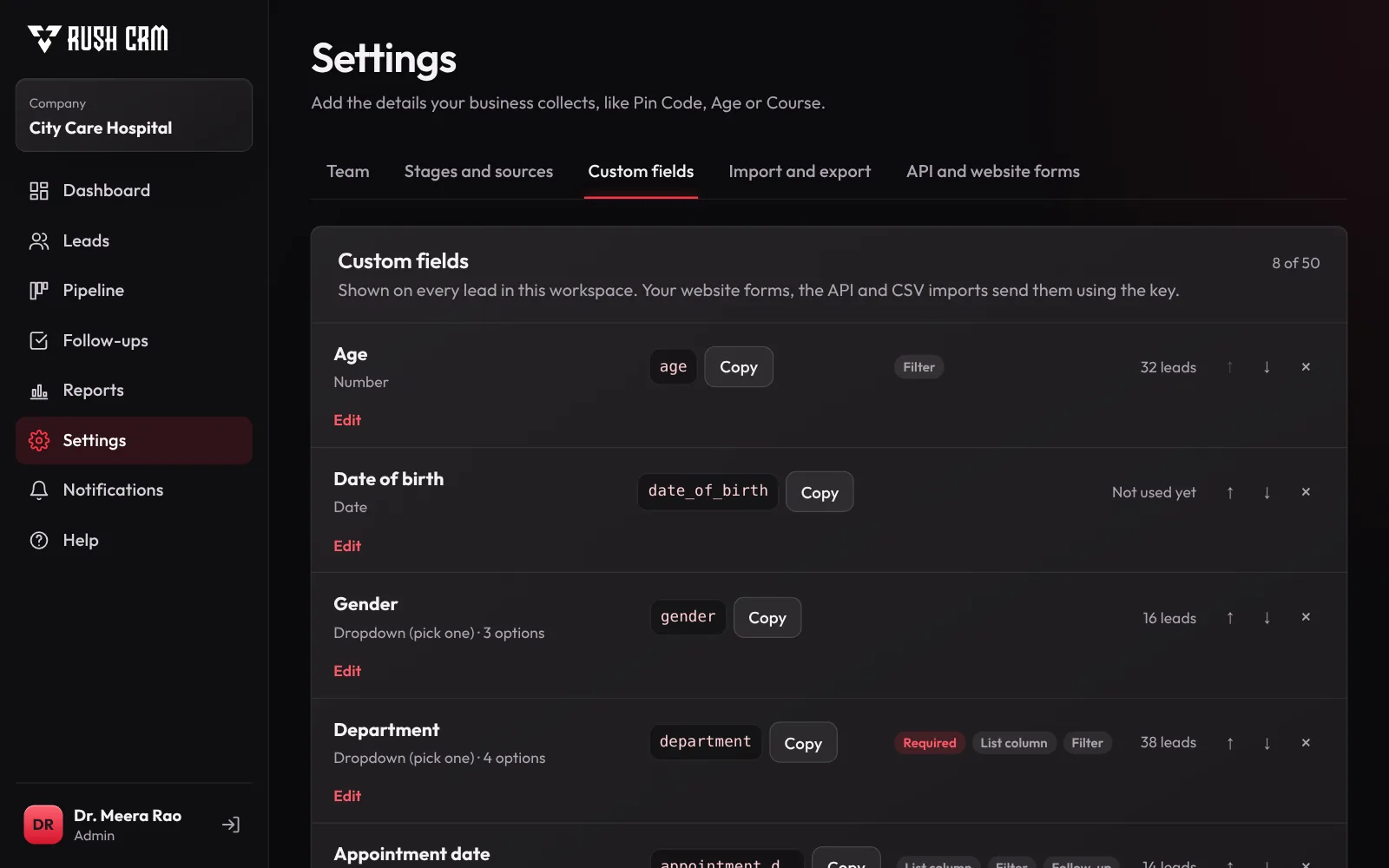
Custom Fields
Add the fields your business needs, such as Age, Pin Code, Course or Budget. They appear on every lead, form, filter, report and export.
Works on Your Phone
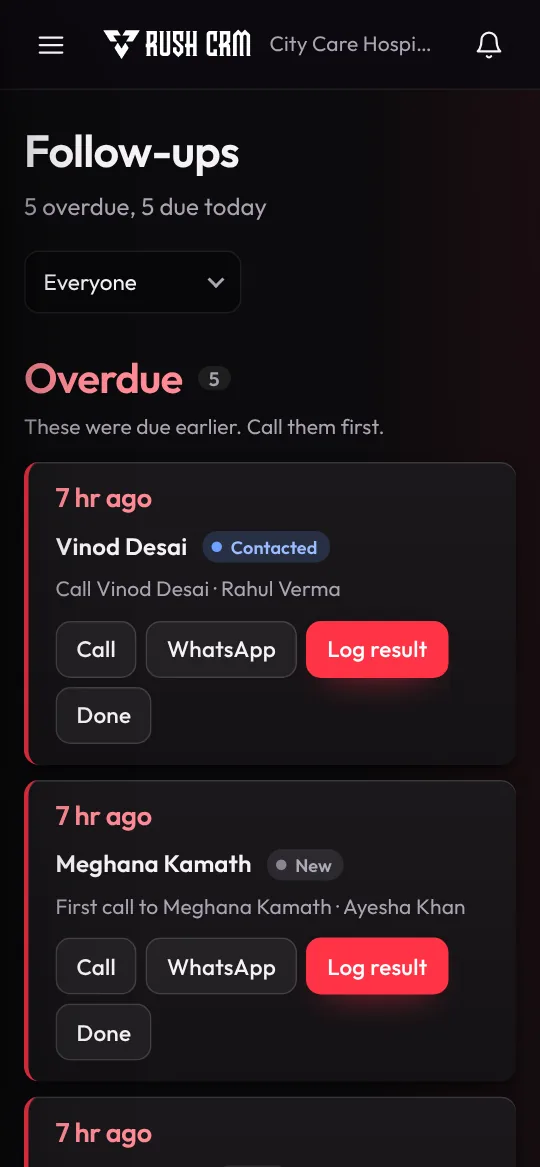
Each salesperson opens the app and sees exactly who to call today, overdue ones first. They can call, WhatsApp, log the outcome and set the next follow-up right from a phone browser.
Less Chasing, More Closing
Website forms, Facebook lead ads, Google Ads, CSV import and the REST API all land in one list.
Leads are shared in turn, everyone gets an alert, and each person sees their own calls for the day.
Never miss a call-back. Overdue follow-ups turn red and show up first on each person’s list.
Every business sees only its own leads. Salespeople see only the leads given to them.
Connect landing pages, ad forms or other tools with one request. The lead goes to the right workspace automatically.
See which source brings buyers and how fast your team calls back, then export any list with every column.
Integrations
Connect your landing pages, ad forms or other tools with one request. The lead goes to the right workspace and is assigned automatically. Prefer spreadsheets? Import a CSV file and you’re done.
{
  "full_name": "Priya Sharma",
  "phone": "+91 98200 12345",
  "email": "priya.sharma@gmail.com",
  "source": "Google Ads",
  "campaign": "diwali-offer"
}

201 Created
{ "id": 1042, "stage": "New", "assigned_to": "Rahul Mehta" }
Who It’s For
FAQ
Yes. Each company has its own workspace, and nobody outside your team can see your leads, including our team. Sales reps only see the leads given to them.
Yes. Paste a ready-made form, add a few lines of PHP to your existing form handler, or send leads from Zapier and ad platforms through the REST API.
The CRM matches the phone number or email, adds the new enquiry to the existing lead’s history, and tells the owner. No duplicates.
Yes. Add any custom fields your business needs, such as Age, Pin Code, Course or Budget. Choose text, number, date, dropdown and more, and they show up on every lead, in website forms, filters, reports and Excel exports.
Yes. Your team can call, WhatsApp, log the outcome and set the next follow-up from a phone browser.
Any list, with every field, exports to Excel or CSV in one click.
Request A Callback
Share your requirements and we’ll help you plan the right technical solution.
