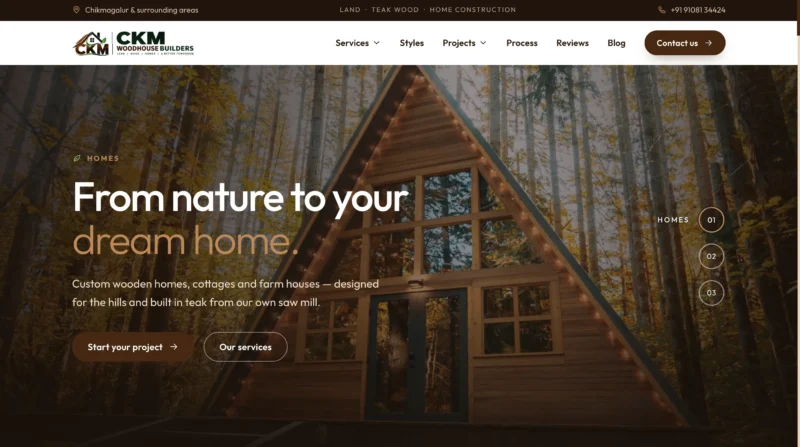
A fresh design can make your business look more modern and help visitors find what they need. But a redesign done carelessly can wipe out years of SEO progress. Pages disappear, URLs change, content is cut and rankings drop.
The good news is that this is avoidable. Use this checklist to redesign your website while protecting, and even improving, your search rankings.
Before the Redesign
1. Set Clear Goals
Decide what the redesign should achieve: more enquiries, a better mobile experience, faster loading or a stronger brand. Clear goals help you decide what to keep, change or remove.
2. Record Your Current Performance
Save a baseline before you change anything:
- Organic traffic and top landing pages
- Rankings for your main keywords
- Pages that bring enquiries and sales
- Page speed and Core Web Vitals scores
- Backlinks pointing to your key pages
You will use this later to check that the redesign helped.
3. Crawl and List All Your URLs
Use a crawling tool to list every page on your current site. This list is the foundation of your migration plan.
4. Decide What to Keep, Improve or Remove
Keep pages that rank and convert. Improve weak but useful pages. Combine or remove thin, outdated pages, but only with proper redirects.
During the Redesign
5. Map Old URLs to New URLs
Keep your URLs the same wherever possible. If a page must move, create a list that maps each old address to its new one. This is the most important step for protecting rankings.
6. Keep and Improve Your Best Content
Do not delete content just because the design is changing. Keep the text that ranks, and improve it with better structure and fresh details through professional content writing.
7. Keep Your Page Titles, Descriptions and Headings
Carry across your existing SEO titles, meta descriptions and main headings for pages that perform well. Change them only on purpose.
8. Keep a Clean Structure and Internal Links
Make sure your menus, breadcrumbs and internal links still connect your important pages. Good navigation helps visitors and search engines. Our guide on UX mistakes can help you avoid common problems in the new design.
9. Design for Mobile and Speed
Build mobile-first, compress images and keep code light. A beautiful but slow design can hurt your rankings. Our speed optimization service can help you hit your targets.
10. Carry Over Technical SEO
- Structured data (schema) where used
- Image alt text
- Canonical tags
- XML sitemap and robots file
- Tracking codes for analytics and ads
Build on a Staging Site
11. Work on a Private Copy
Build and test the new site on a staging copy, and block search engines from indexing it. A common and costly mistake is publishing a staging site that is blocked from Google, or leaving a staging copy open for indexing.
12. Test Everything Before Launch
- All key pages load with no errors.
- Redirects from the old URLs work.
- Forms, checkout and tracking work.
- The site looks right on phones, tablets and desktops.
- Robots settings do not block the live site.
Launch Day
13. Launch at a Quiet Time
Choose a time with lower traffic and keep the team available. If the move includes new hosting, plan it carefully with our hosting migration checklist or our hosting and cloud setup service.
14. Turn On Redirects and Submit Your Sitemap
Activate 301 redirects for any changed URLs, check that the live site is open to search engines and submit your updated sitemap in Google Search Console.
After Launch
15. Check for Errors Straight Away
Look for broken links, 404 errors, missing images and redirect loops. Fix them quickly.
16. Monitor Rankings and Traffic
Compare performance with your baseline. Small ups and downs are normal in the first weeks, but a large, sustained drop needs investigation.
17. Watch Search Console
Check the index coverage, crawl errors and performance reports. Make sure your key pages are indexed.
18. Keep Improving
A redesign is a chance to do SEO better. After launch, continue with content, links and technical improvements through ongoing SEO services.
Common Redesign SEO Mistakes
- Changing URLs without redirects.
- Deleting high-performing content.
- Launching with the site blocked from search engines.
- Making the new site slower than the old one.
- Forgetting analytics and tracking codes.
- Not monitoring after launch.
Conclusion: Redesign for Visitors and Search Engines
A redesign should make your website better for both people and search engines. Plan your URLs, protect your best content, test on staging and monitor after launch, and you can enjoy a fresh design without losing the rankings you worked hard to earn.
Planning a redesign? Get a free quote and we will build it with SEO in mind.
Frequently Asked Questions
Will a website redesign hurt my SEO?
It can if URLs, content and redirects are handled badly. With careful planning, redirects and testing, you can protect and even improve your rankings.
What is the most important SEO step in a redesign?
Mapping every old URL to its new one with proper 301 redirects, so search engines and visitors always land on the right page.
Should I keep my old URLs?
Yes, wherever possible. Keeping URLs the same is the safest way to protect your rankings.
How long do rankings take to recover after a redesign?
If there is a temporary dip, it often settles within weeks when the migration was done correctly. Big, lasting drops usually point to errors that need fixing.
Do I need a staging site for a redesign?
Yes. A private staging copy lets you build and test safely. Just make sure it is blocked from search engines and the live site is not blocked at launch.